Recordings, live view and retention
The camera box records continuously, around the clock, onto its own disk at the gym. The app is your window into it: a live view that works from anywhere — not just on the gym Wi-Fi — a recordings player with a motion heat-strip for finding the moment that matters, and a retention slider that decides how many days of footage the box keeps.
What you'll do
Watch live, find and play back recorded footage, watch the live occupancy count, and set retention.
You'll need: the camera box online, and a staff account with the camera permission.
Steps
-
Open the Security tab and switch to Live. Each camera shows a live tile; tap one for fullscreen. This works away from the gym too — the stream is negotiated securely end-to-end to your box, with no ports opened on your router.
-
Watch the occupancy strip above the cameras: each counting-enabled door camera shows how many people are currently inside, with a capacity bar. Reset zeroes a drifted count — use it when the space is actually empty.
-
Open recordings from a camera's Recordings button. The 24-hour strip shows where the motion was, hour by hour, with dots for incidents — scrub anywhere, or tap an incident dot to jump straight to it.
-
Move precisely with Jump to time — HH:MM, step between days with the date arrows, and change playback speed between 0.5x, 1x, 2x and 4x.
-
Set how long footage is kept: on the Security Cameras screen, open the box's Recording retention and pick 1 to 60 days. The box applies it and confirms.
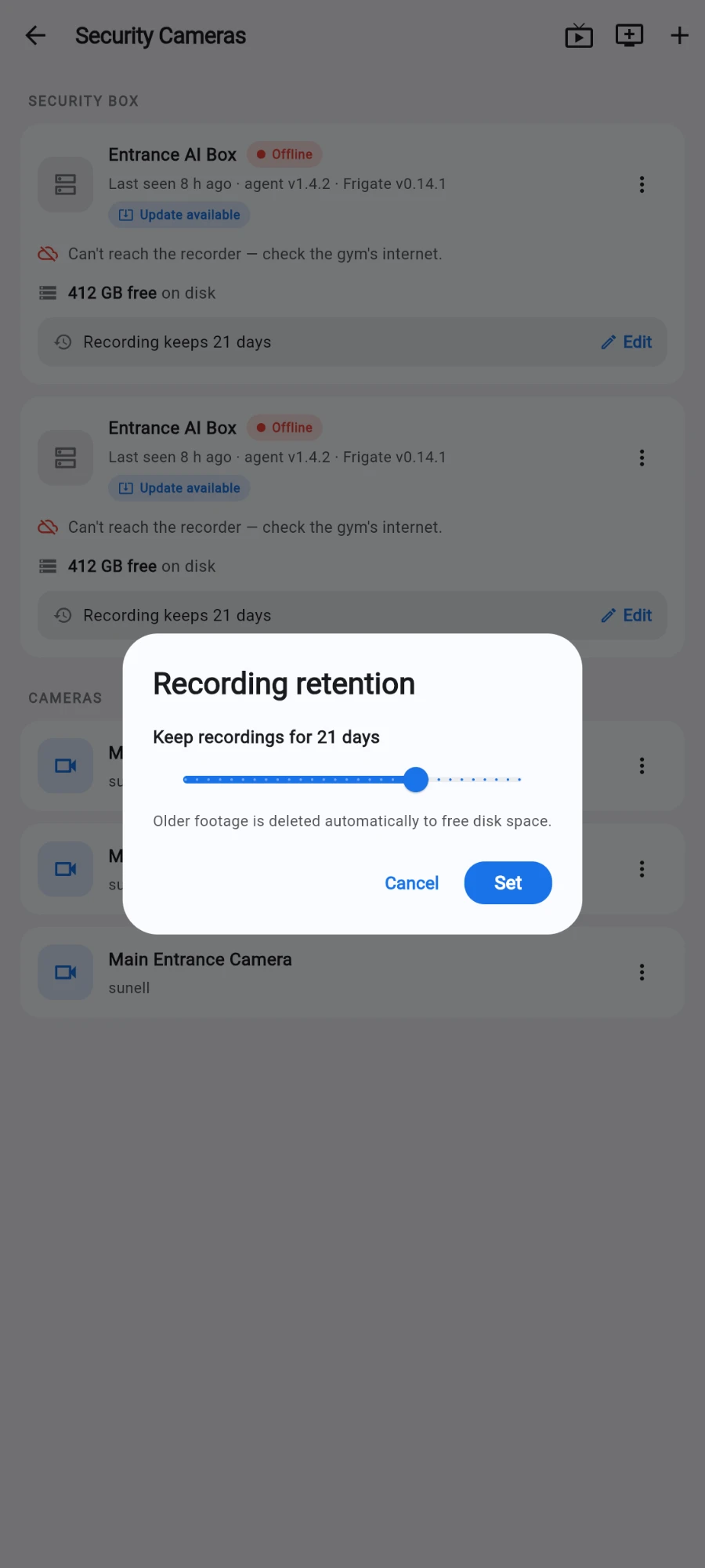
Retention is set per box, anywhere from 1 to 60 days.
What you should see
Live tiles start within a few seconds. The heat-strip makes quiet hours obviously empty and busy hours dense, incident dots line up with the inbox, and playback lands within a second of where you scrub.
If something goes wrong
- Live view won't start off-site — the stream needs the box online; check the box card first. Some restrictive mobile networks block streaming — try Wi-Fi.
- No footage recorded for this day — the day is outside your retention window, or the box was down that day. Check retention and the box's health card.
- The occupancy count is obviously wrong — counts drift when people squeeze through together. Tap Reset when the space is empty; counting is per-crossing from then on.
- Playback stutters — drop the speed to 1x and let it buffer, or scrub on the gym Wi-Fi where the box is local.
Still stuck? Email hello@prismgym.com — include your gym name, the device, and a photo of what you see.