Telegram alerts for owners
Prism can report to you on Telegram — your personal chat or an owners' group — without you opening the app. The design keeps your phone quiet: routine events (check-ins, sales, payments) are batched into a morning and an evening summary, while things that need attention — a refund, a manual gate open, a till closing short — arrive the moment they happen. Every event type has its own switch, so you decide what reaches you.
What you'll do
Create a Telegram bot, connect it to Prism, send a test, and tune which events notify you.
You'll need: an owner sign-in, the Telegram app, and five minutes with @BotFather (Telegram's official bot-creation bot).
Steps
-
In Telegram, open a chat with @BotFather and send the /newbot command. Name your bot anything — BotFather replies with a long token. Copy it.
-
In Gym Admin, open the drawer → Settings → Telegram notifications (under Integrations). The screen's own Quick start card repeats these steps if you need them later.
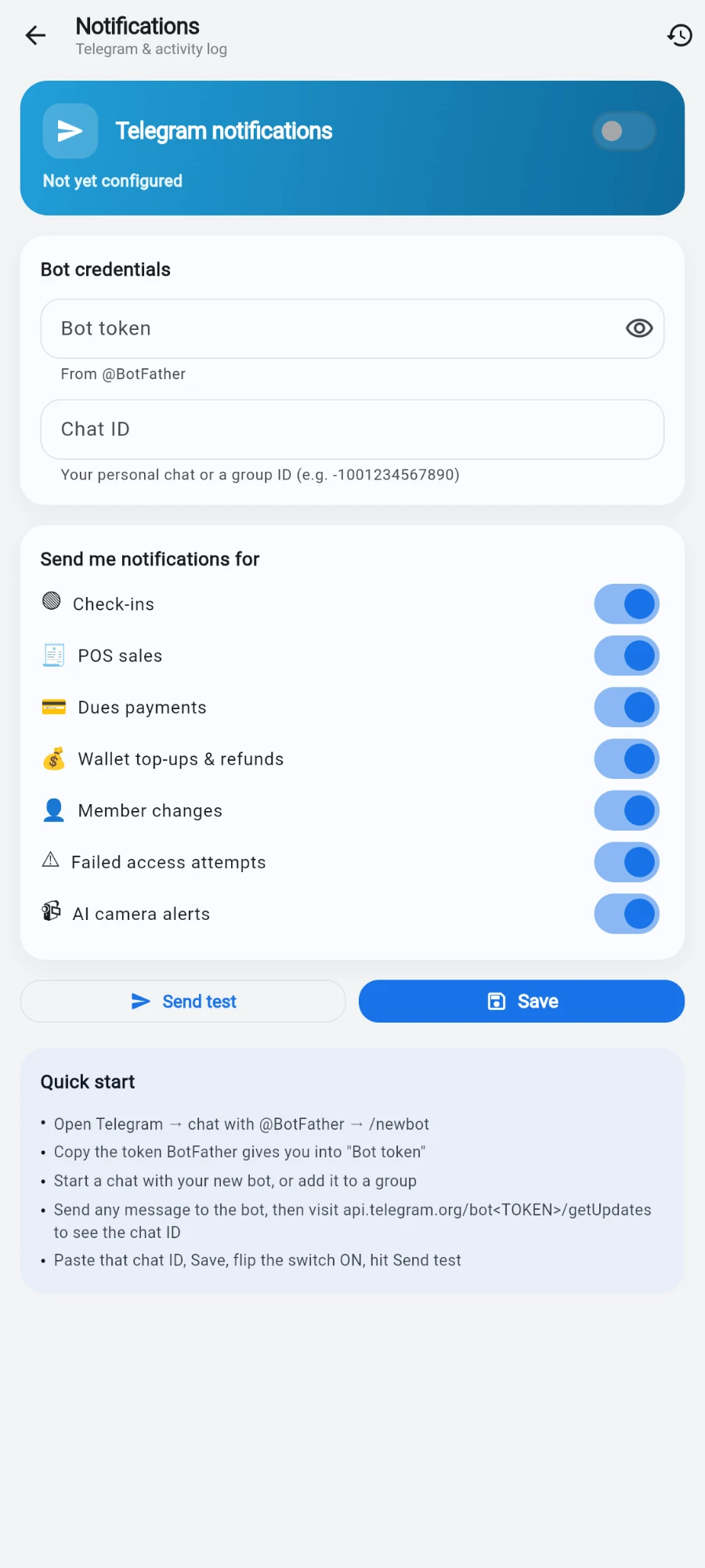
Everything on one screen: credentials, per-event switches, test and Quick start. -
Under Bot credentials, paste the token into Bot token. The field is masked; the eye icon reveals it.
-
Fill in Chat ID. For a personal chat: message your new bot once, then follow the Quick start card to read the chat ID. For a group: add the bot to the group and use the group's ID (it starts with a minus sign).
-
Tap Save, flip the Telegram notifications switch on — it refuses to arm until both credentials are saved — then tap Send test. You should see Test sent — check your Telegram chat, and a message from your bot within seconds.
-
Tune the switches under Send me notifications for: Check-ins, POS sales, Dues payments, Wallet top-ups & refunds, Member changes, Failed access attempts and AI camera alerts. Each toggle saves immediately. Everything starts on.
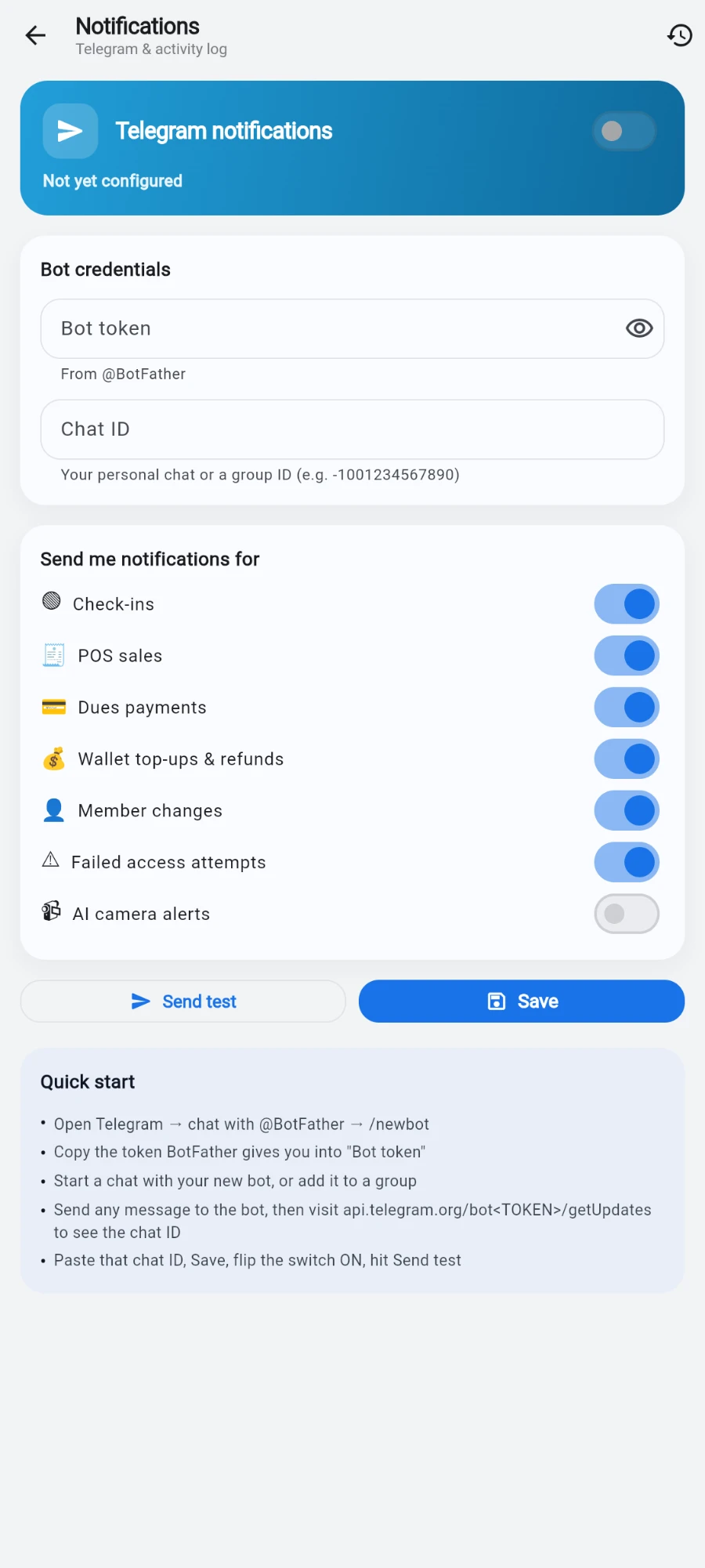
Mute an event type rather than the whole channel.
How the messages behave
Routine activity — check-ins, sales, payments, wallet movements, member edits — is held and sent as two daily summaries at 10:00 and 21:00 gym time: a morning and an evening report of new memberships, renewals, payment counts and totals, sales, top-ups, distinct check-ins, and memberships expiring this week, all in your gym's own currency. If a window had no activity, no message is sent.
Action-needed events skip the digest and push instantly: refunds (including partial), products about to expire, a till closing, a manual gate open, a membership frozen, cancelled or expired, camera incidents, PT bookings, waitlist movement, and every audited action such as deletions, discounts, waived fees and wallet reversals.
The in-app activity feed
The bell in the header opens the same stream inside the app: the Activity feed — Everything that happens in your gym — with filter chips All, Check-ins, Sales, Payments, Wallet, Members and Alerts. Tap a sale event to open the sale, a member event to open the member. A Memberships need attention card up top counts expiring and expired members and lets you notify them in bulk. Members with the member app also receive push notifications you send from here, respecting each member's own notification preferences.
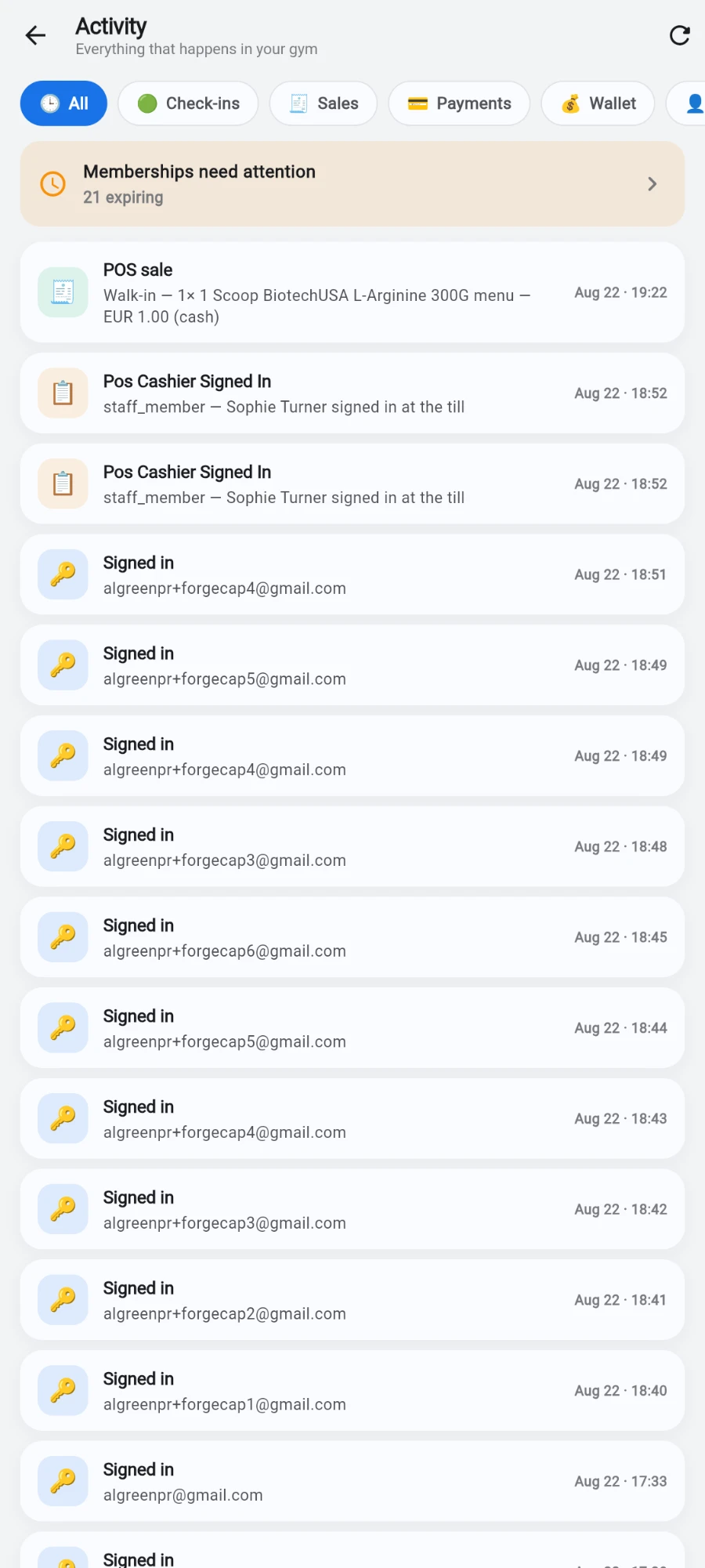
What you should see
Within a day: a 10:00 summary, a 21:00 summary, and instant messages only when something actually needed you. If your phone is buzzing too much, mute event types rather than the whole channel.
If something goes wrong
- "Enter the bot token and chat ID first" — the enable switch needs both credentials saved before it arms.
- Test says sent but nothing arrives — you haven't messaged the bot yet (bots can't message you first), or the chat ID is wrong. For groups, re-check the minus sign.
- Digests don't arrive — check the channel is enabled and the routine event types aren't all switched off; an empty window also sends nothing, which is by design.
- The bot went silent after months — someone revoked or regenerated the token in BotFather. Paste the new token and Save.
Still stuck? Email hello@prismgym.com — include your gym name, the device, and a photo of what you see.