Log body measurements
The Measures tab is the kiosk's measurement book: a body silhouette pinned with your latest numbers on one side, category cards on the other, and a quick entry sheet for adding today's readings. Log after a weigh-in or a coach session and the trends build themselves.
What you'll do
Add a measurement and read your history.
You'll need: a signed-in session, and the numbers you want to record (from the gym's scales, calipers, blood-pressure cuff or body-composition analyser).
Steps
-
Open Measures. The Body measurements overview shows the body map with your latest values pinned to it, the date of your last entry, and category cards: Body composition (weight, body fat, muscle mass), Physical (circumferences), Clinical (blood pressure, resting heart rate, oxygen saturation) and Cardiovascular (VO₂ max, max heart rate).
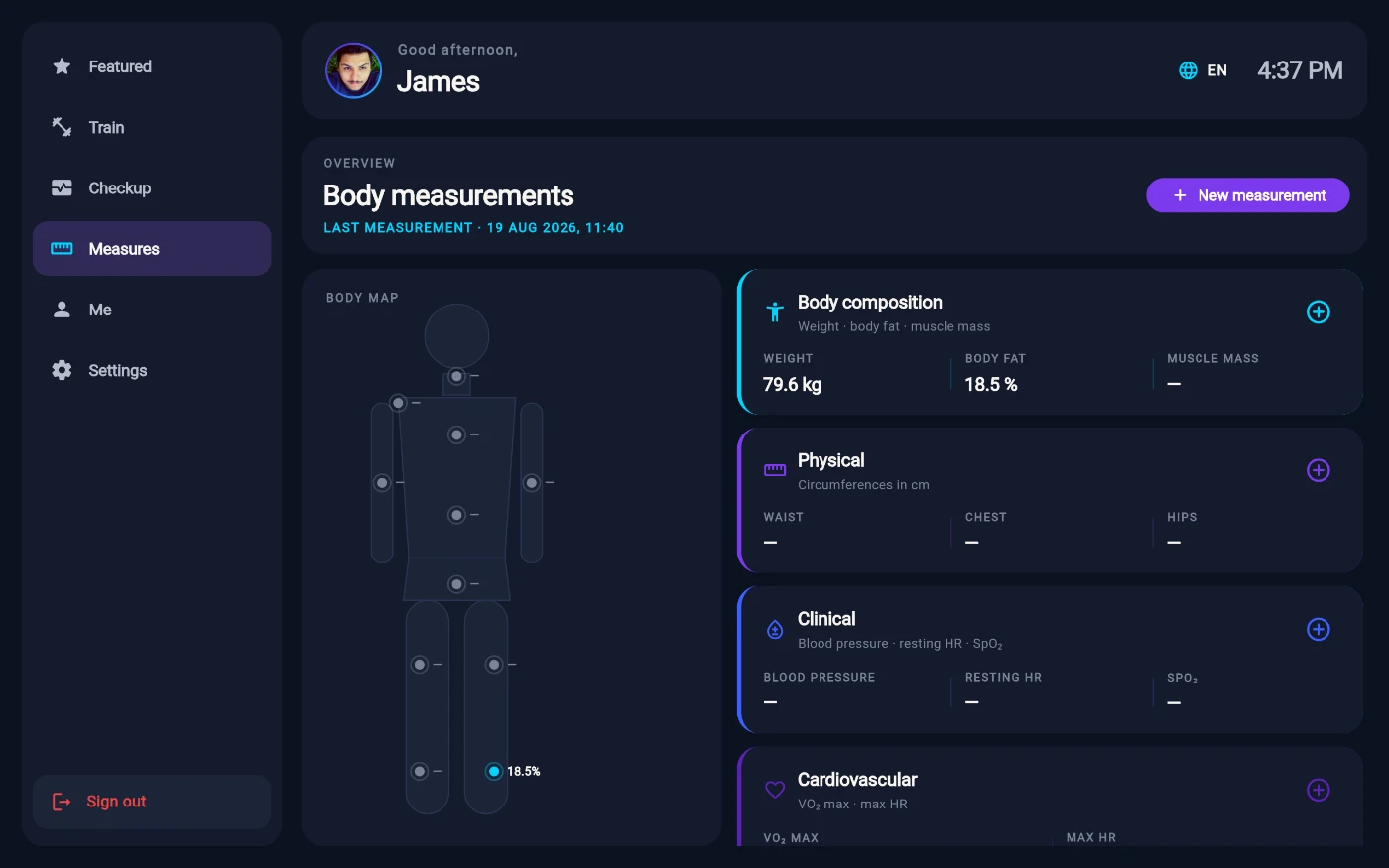
The measurement book: body map plus category cards. -
Tap New measurement. The sheet's own instruction says it all: pick a category, then fill what you have — blank fields are skipped. Enter today's numbers and save.
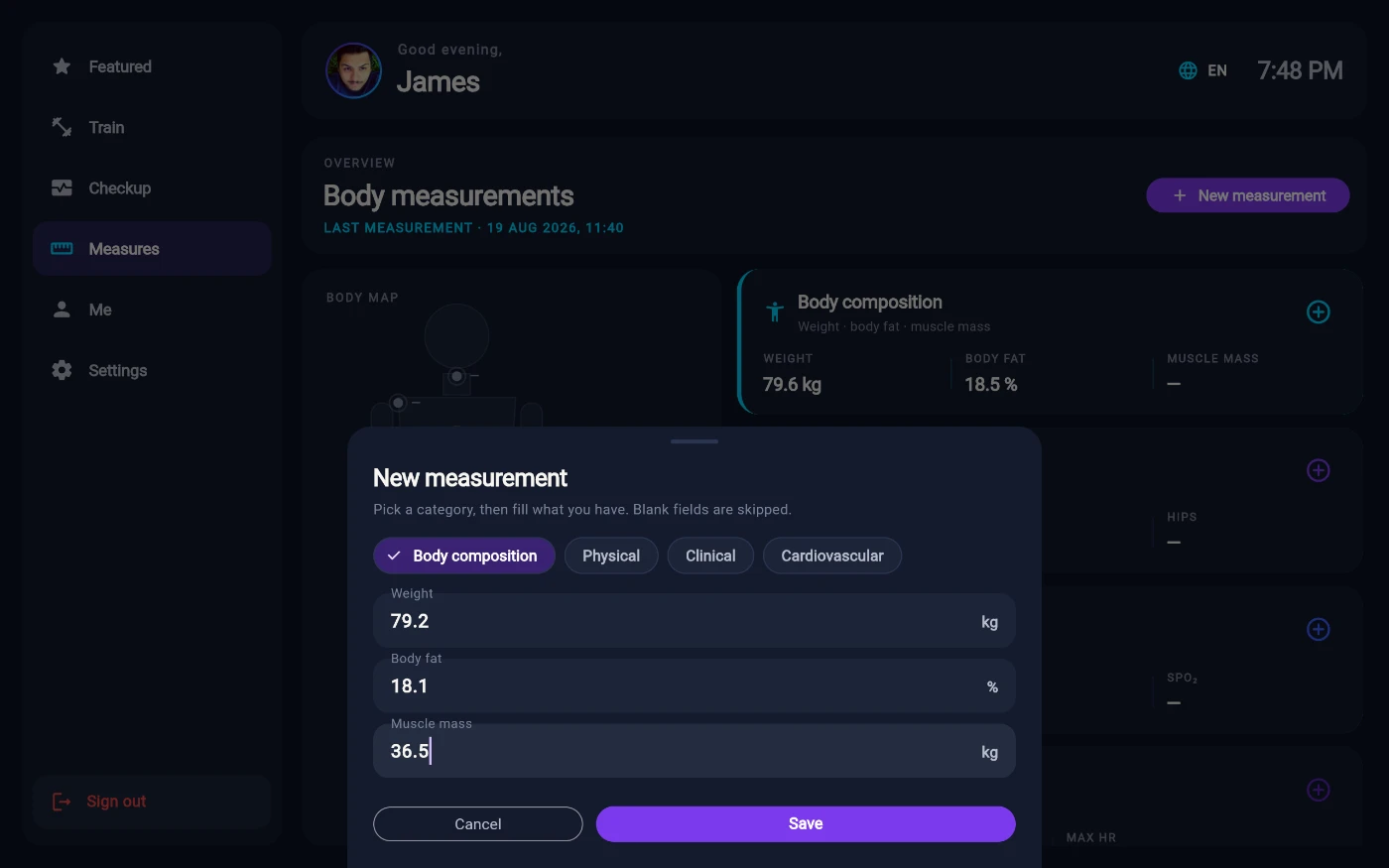
Pick a category, fill only what you have. -
Open any category card to see each metric's trend — your first reading starts the line, and from two readings on you get the change over time.
-
Scroll on for the extras: Performance lists your top lifts by estimated one-rep max with a Personal records list fed by workouts logged in the phone app; Recovery shows sleep and heart-rate-variability once a wearable is connected in the phone app; and Cognitive is a live shortcut to the brain-speed test in the Checkup tab.
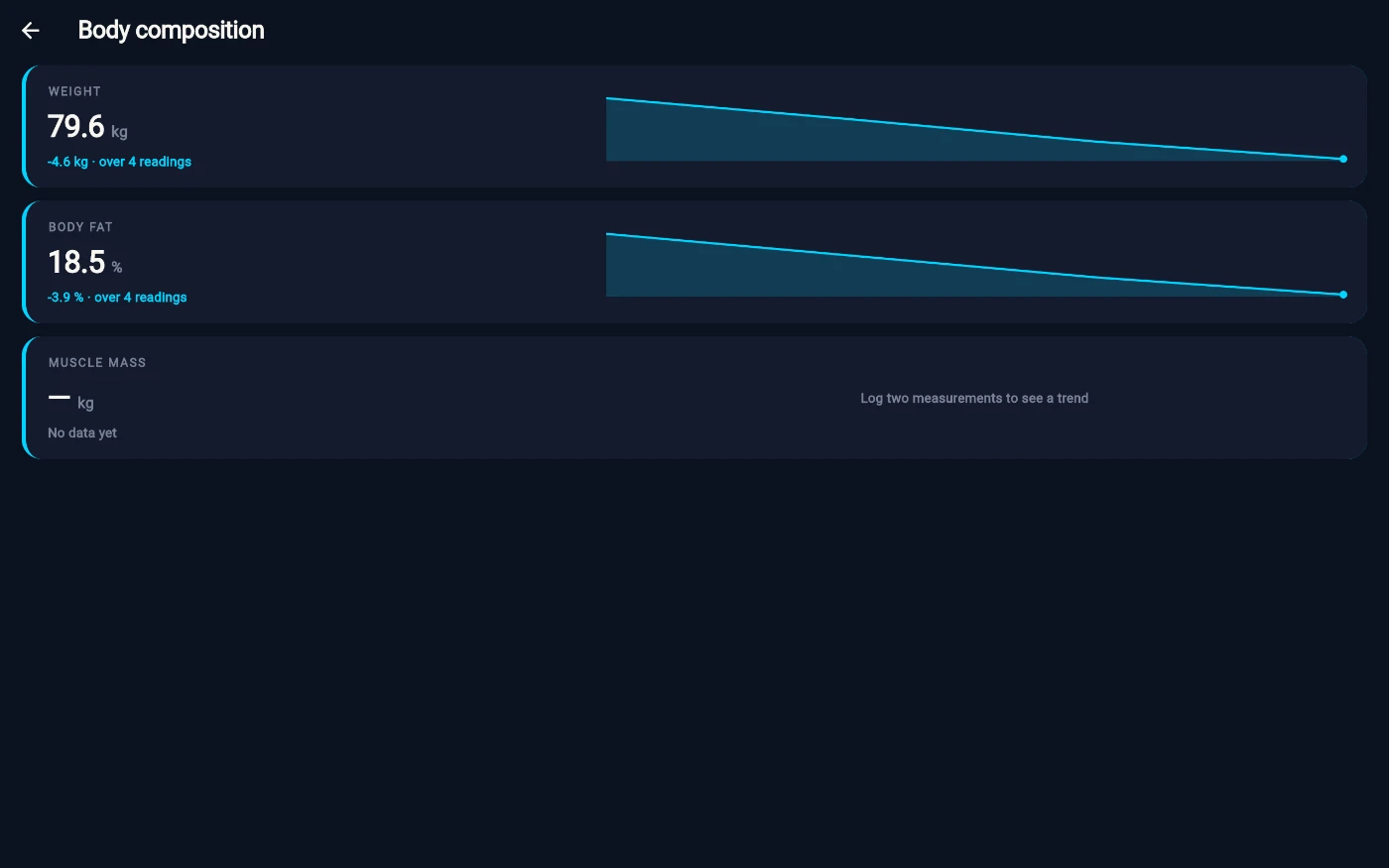
Each metric builds its own trend line.
What you should see
The body map updates with your newest values, the last-measurement date resets to today, and your Featured home's measurement tile reflects the new entry.
If something goes wrong
- Save is refused with "Enter at least one value." — every field was left blank; fill at least one.
- A value is rejected as out of range — the message names the allowed range; check the units (kilograms and centimetres).
- Performance or Recovery is empty — both are fed from the phone app (logged workouts, a connected wearable); the kiosk just displays them.
- The list won't load — the kiosk retries on its own; tab away and back, or try again in a moment.
Still stuck? Email hello@prismgym.com — include your gym name, the device, and a photo of what you see.