Friends, family and referrals
Your 8-digit member code — on the Me tab — is the handle for everything social: adding friends, linking family, and the referral code that earns you points when a friend joins. Guest passes let you bring someone along for a day.
What you'll do
Add a friend, link a dependent, issue a guest pass, and share your referral code.
You'll need: an active membership; the other person's 8-digit member code for friends and family (it's on their Me tab).
Steps
-
Open Me and tap Friends, then Add friend. Enter your friend's 8-digit code — the dialog reminds you where they find it: on their own Me tab.
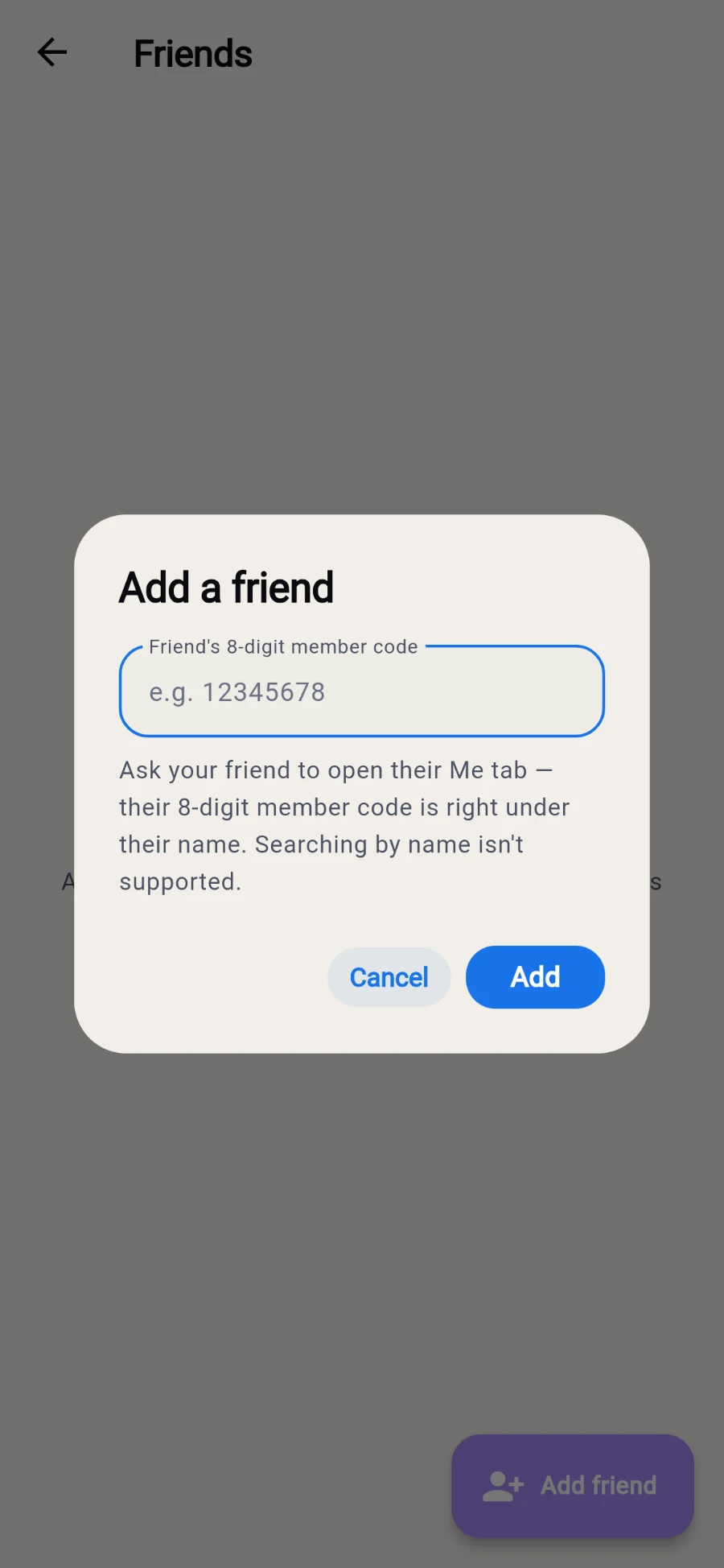
Friends are added by member code, never by name. -
To link a partner or child as a dependent, go back to Me and tap Family, then Link dependent, and enter Their member code. Linked dependents show their name, photo, plan and status.
-
To bring a guest for a day, tap Guest passes and then Issue pass. Enter the Guest name and tap Issue.
-
The pass renders as a QR with a status badge — ACTIVE, REDEEMED or EXPIRED — and its validity date. Your guest shows the QR at the door on the day.
-
To earn from referrals, tap Refer a friend. Your personal code sits under YOUR CODE with a Copy button, the gym's reward amount, terms, and the three-step How it works.
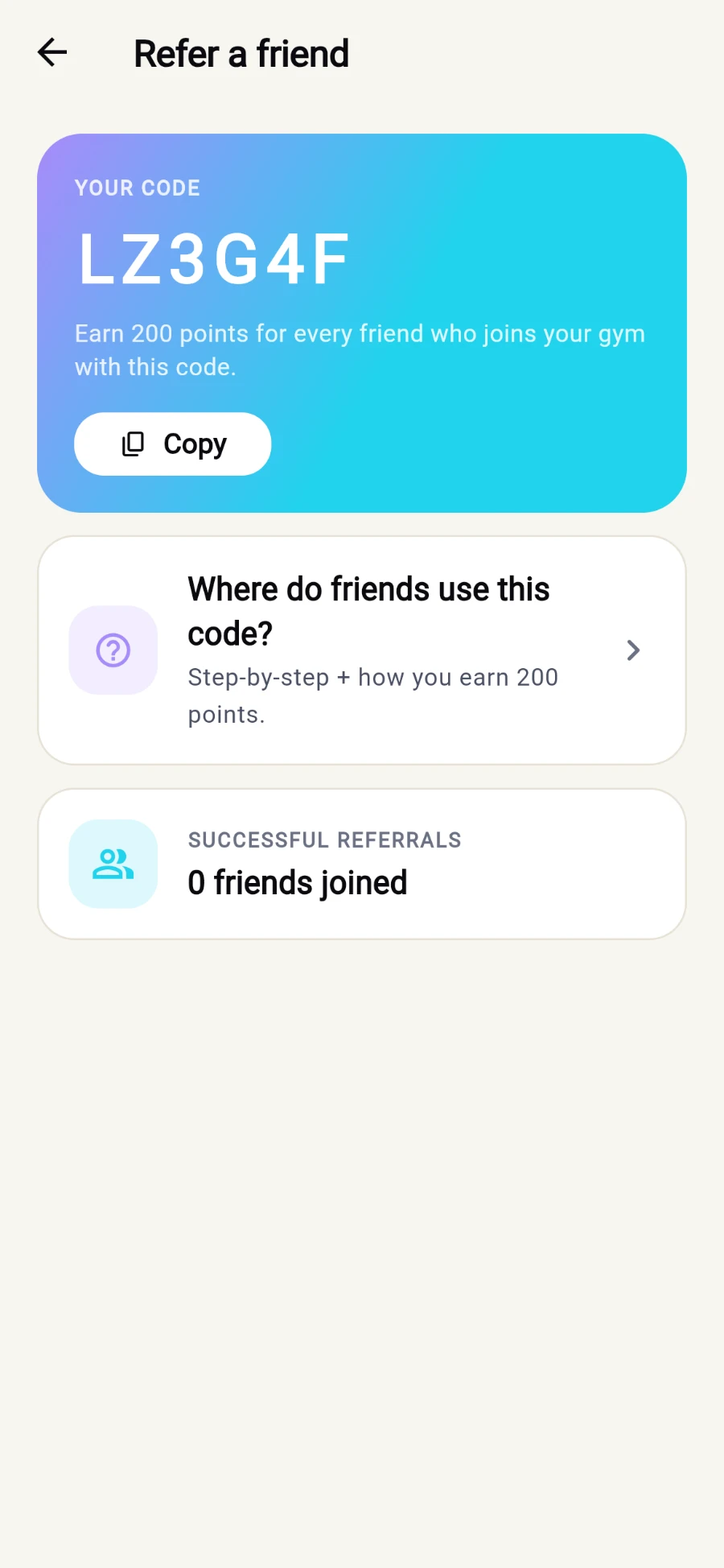
Your code, the reward, and a running count of who joined. -
Your friend enters the code in the Referral code (optional) field when they create their account — the reward lands automatically once their membership links, and SUCCESSFUL REFERRALS counts them.
What you should see
Friends in your list, dependents with their plan and status visible, a scannable guest pass, and your referral count climbing as friends join.
If something goes wrong
- "No member with that friend code" — codes are 8 digits, not names; double-check every digit with your friend.
- "That member is already linked to another account." — a dependent can only hang off one account; reception can move the link.
- "You need an active membership" — social features pause while your own plan is expired; renew first.
- A guest pass shows EXPIRED — passes are valid for one day; issue a fresh one for the next visit.
Still stuck? Email hello@prismgym.com — include your gym name, the device, and a photo of what you see.