TV settings and quiet hours
The studio TV keeps its own small settings panel on the device, tucked behind a PIN so members with the remote can't wander into it. It covers the things you'd only ever fix while standing in front of the TV — Wi-Fi, brightness, sound, re-pairing — plus a diagnostics page that tells you at a glance whether the ANT+ receiver and the live connection are healthy.
What you'll do
Open the admin panel, adjust display and sound (including the overnight quiet hours), and read the diagnostics.
You'll need: the TV remote (or a touch on the screen) and the admin PIN.
Steps
-
Focus the ADMIN cog in the top-left corner and select it — or long-press the top-left corner for a couple of seconds on a touchscreen.
-
Enter the 4-digit PIN at the ADMIN PIN prompt. The panel opens on the STUDIO ADMIN menu: Wi-Fi, Pair to gym, Brightness & sound, and ANT+ & sync.
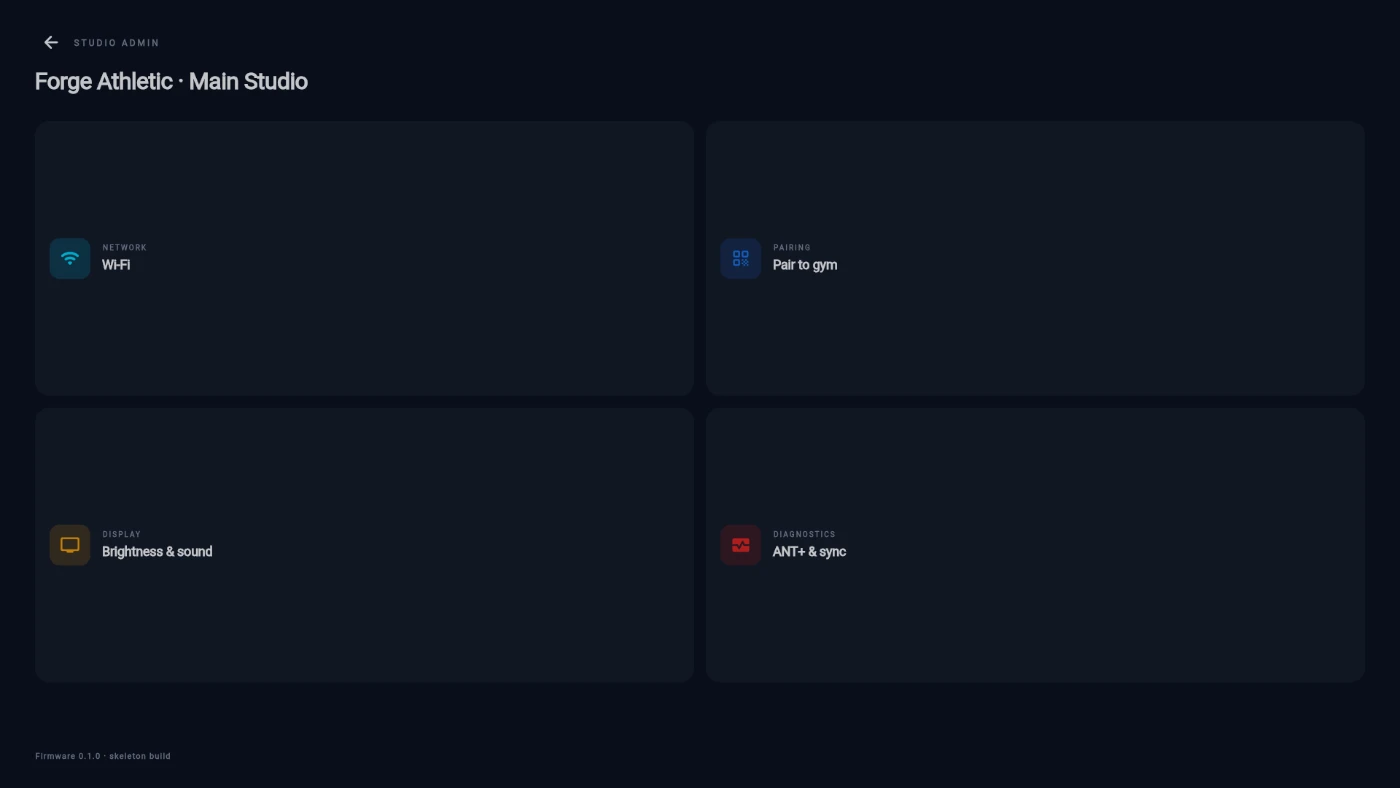
The STUDIO ADMIN menu: Wi-Fi, Pair to gym, Brightness and sound, ANT+ and sync -
Under Wi-Fi: toggle the radio, see the connected network and signal, Re-scan networks, and read the box's IP address for troubleshooting.
-
Under Brightness & sound, set Brightness (a software dim from 10 to 100 percent — useful in a dark spin room) and Screen-off after, the idle time before the display sleeps; it wakes on the first touch or when a class starts.
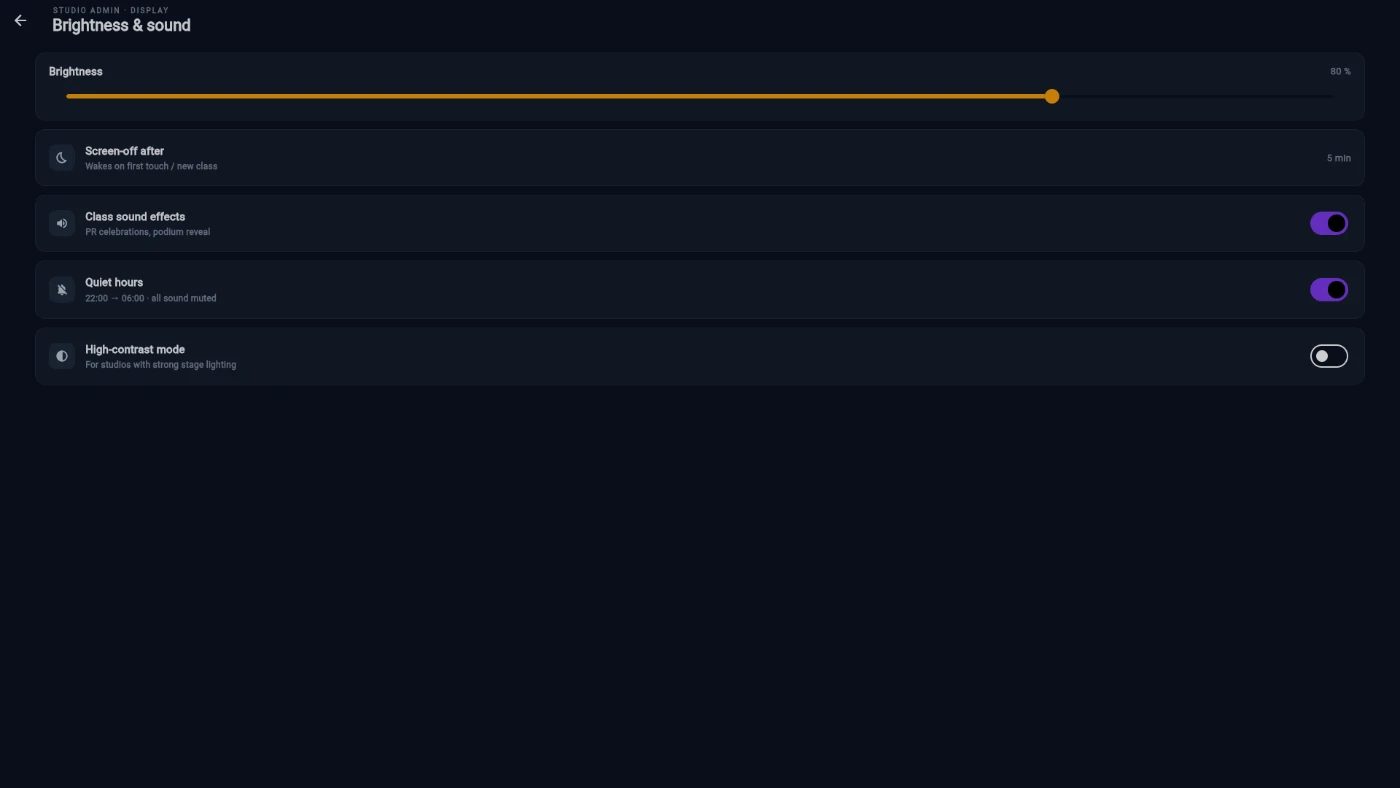
Brightness and sound: brightness slider, screen-off, sound and quiet hours rows -
On the same page, control sound: Class sound effects toggles the celebration sounds, and Quiet hours mutes everything inside an overnight window (it wraps past midnight, so a 22:00 to 06:00 window works as you'd expect). While quiet hours are active the sound row says so.
-
Turn on High-contrast mode if the studio uses strong stage lighting and the wall needs more punch to stay readable.
-
Under ANT+ & sync, read the diagnostics: the ANT+ stick state, the BLE radio, the live-connection status with the age of the last event, recent sample throughput, and the software version — everything support asks for, on one page.
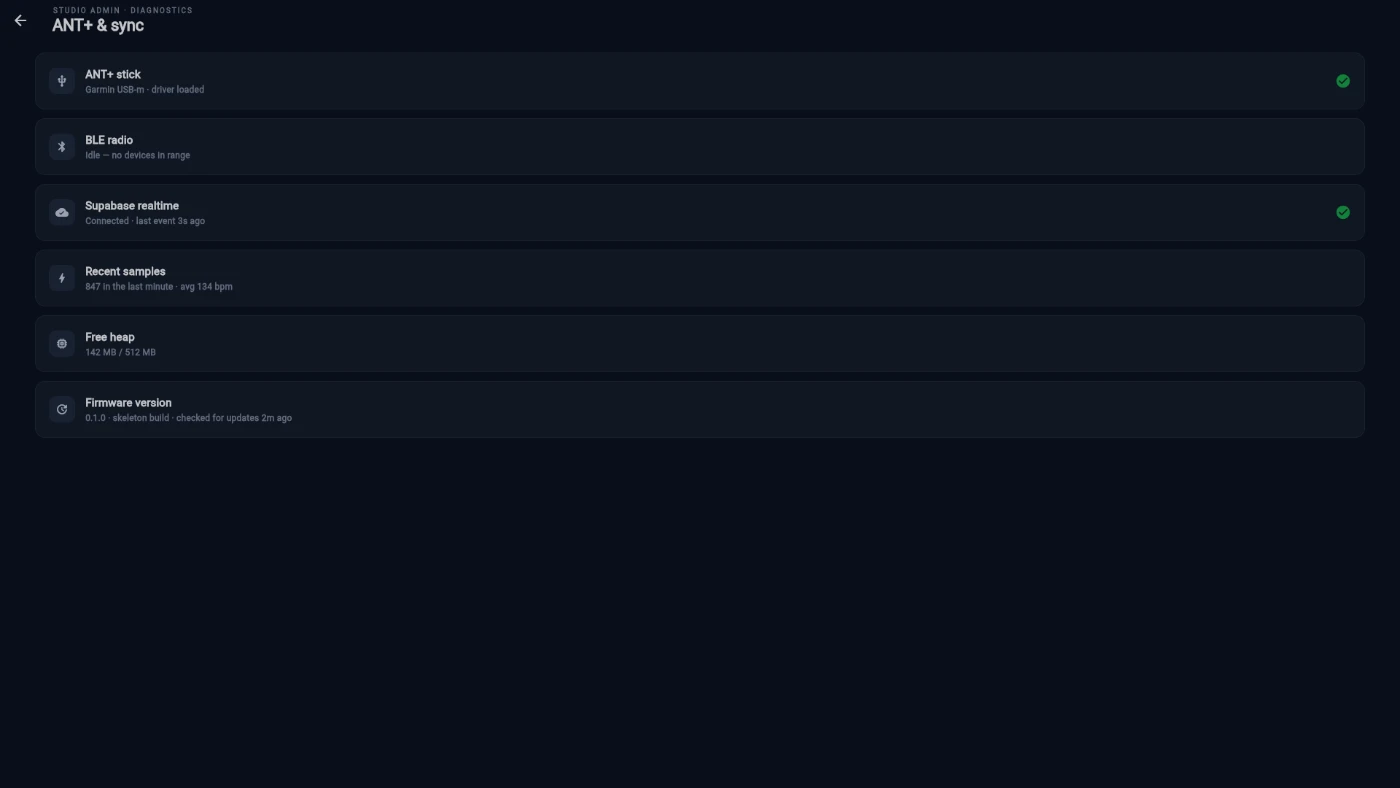
The ANT+ and sync diagnostics page
What you should see
Settings that stick: brightness, screen-off, sound, quiet hours and contrast are all saved on the box and survive reboots. On the diagnostics page, a healthy TV shows its ANT+ stick present and a live connection with a recent last event.
If something goes wrong
- The PIN prompt won't accept your code — the PIN is the fixed default (0000). If it's refused, you're likely on the wrong prompt; back out and reopen the ADMIN cog.
- No sound during evening classes — check Quiet hours: if the window is on and it's past its start time, everything is muted by design. Toggle it off or wait out the window.
- Straps aren't being heard — the ANT+ stick row on the diagnostics page shows whether the USB receiver is detected. If it isn't, reseat it and restart the box.
- The wall looks washed out in a bright room — raise Brightness to 100 and try High-contrast mode; both are made for difficult studio lighting.
Still stuck? Email hello@prismgym.com — include your gym name, the device, and a photo of what you see.