Your card, plans and shop
The Me tab is your membership in card form: a wallet-style digital card with a live entry QR, your shareable member code, any session packs you've bought, and a shop where you can renew your plan or buy retail — all paid from your wallet.
What you'll do
Read your membership card, copy your member code, understand session packs, renew or upgrade your plan yourself, and order from the retail shop.
You'll need: a linked membership; wallet balance for anything you want to buy.
Steps
-
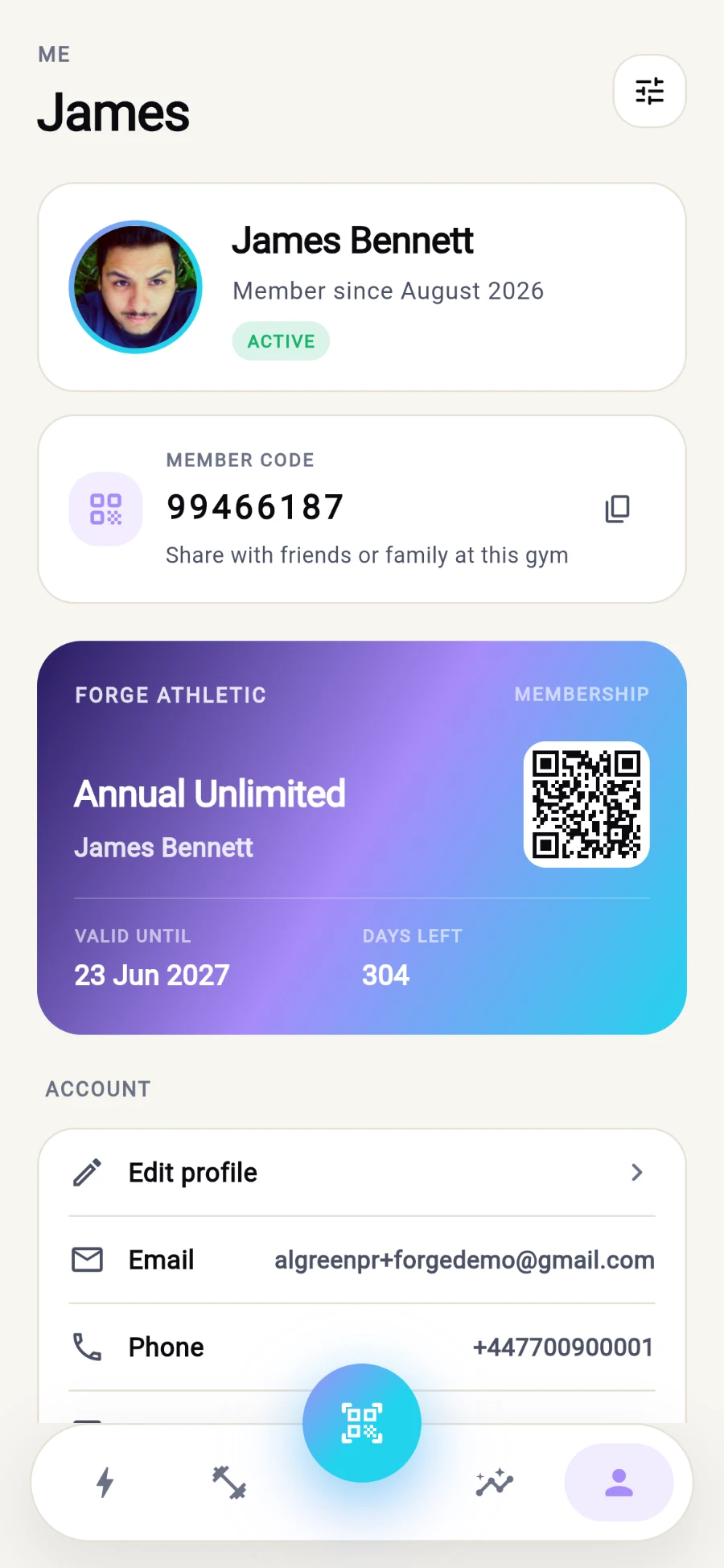
Open Me. Your identity hero shows your photo, name, Member since date and a status pill — ACTIVE or FROZEN.
-
Below it sits your membership card in your gym's colours: plan name, VALID UNTIL date, DAYS LEFT, and a live rotating QR that works for both entry and paying. No active plan? The card says No active membership — Renew at reception (or renew in the shop, step 5).
Your membership in card form - code to share, QR to scan. -
Find the MEMBER CODE card — your 8-digit handle for friends and family linking. Tap Copy to share it; Share with friends or family at this gym.
-
If you've bought class or PT packs, they render as their own cards with a sessions-remaining bar, start date, expiry and days left. A pack that grants door access carries an Opens gates chip.
-
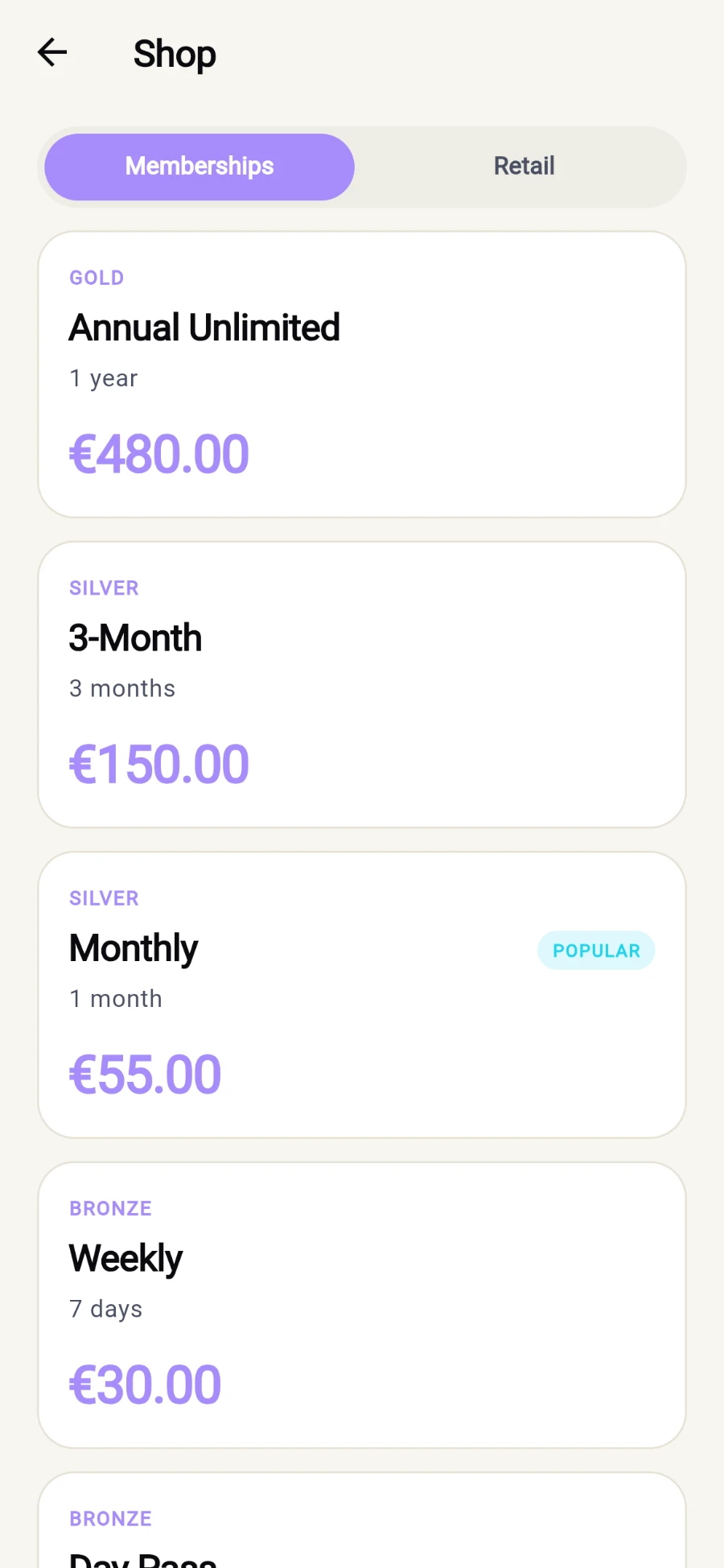
To renew or upgrade, tap Shop and open the Memberships tab: the full plan catalog with price, duration, features and off-peak access windows. Pick a plan and pay straight from your wallet with Renew with wallet (or Buy with wallet for a new plan). The confirmation sheet shows the exact Wallet debit first.
The plan catalog - tier, duration and price on every tile. -
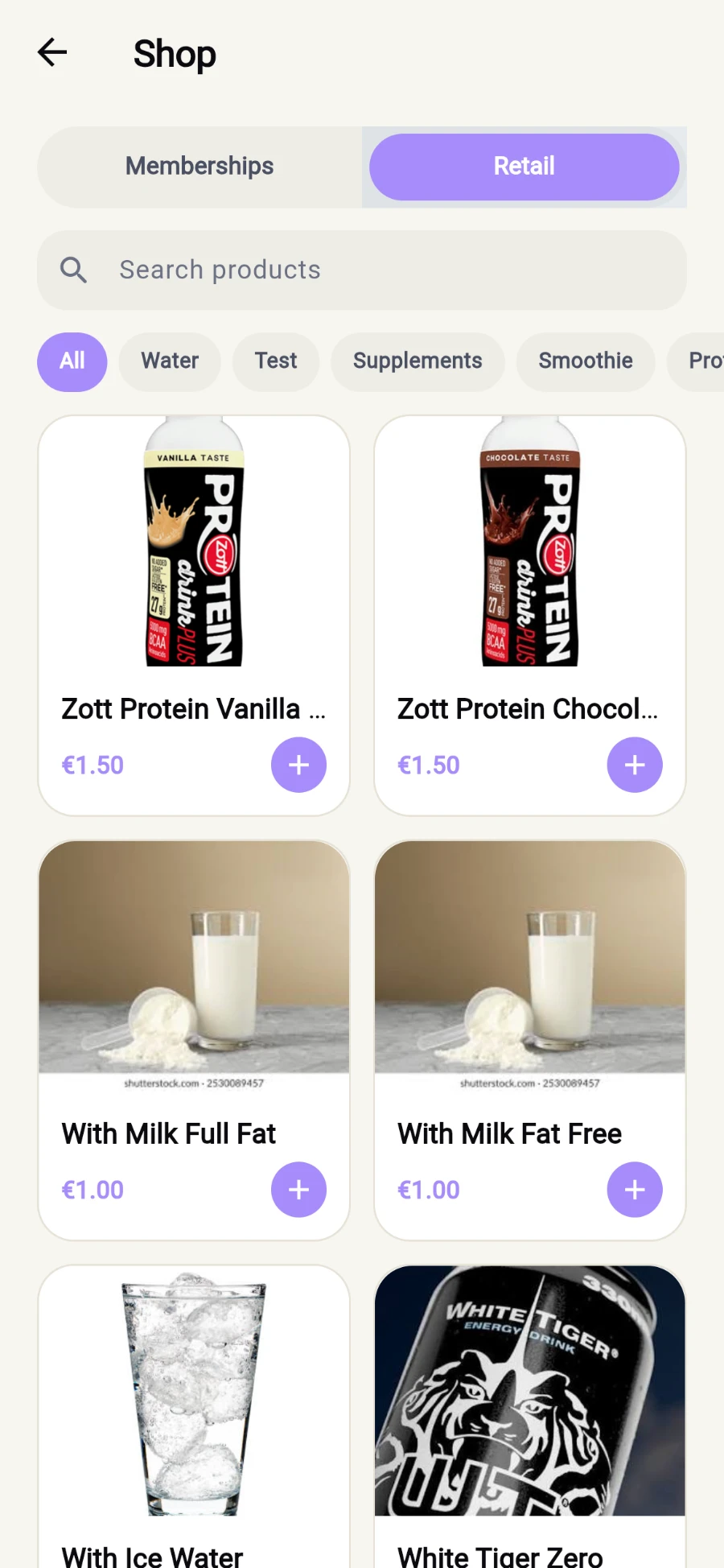
For drinks, gear and supplements, switch to the Retail tab: search, filter by category, use the stepper to build a cart, then tap View cart and Pay with wallet. Success reads Purchased — pick up at reception.
Search, filter, tap plus to build a cart.
What you should see
After a renewal: Membership active — your card's VALID UNTIL and DAYS LEFT update at once. After a retail purchase: staff are notified and your items wait at reception.
If something goes wrong
- "Not enough in your wallet — top up at reception." — the wallet never overdraws; add funds and retry.
- A plan is greyed out — some plans are restricted (for example by gender) or set up by staff; tapping one explains, and Ask reception handles the rest.
- "One of your items just went out of stock — adjust and retry." — remove that item from the cart and pay again; nothing was charged.
- The card shows no QR — with no active plan the card deliberately hides misleading dates; renew first.
Still stuck? Email hello@prismgym.com — include your gym name, the device, and a photo of what you see.