Courses and nutrition programs
Nutrition and coaching courses are sold from their own catalog, with three billing shapes: a one-time program, a recurring monthly subscription, or a pack of sessions. Every sale carries a coach, so commission lands in the right payout automatically.
What you'll do
Create a program in the catalog, then enroll a member from their profile.
You'll need: catalog-management permission for creating programs, and a coach on the roster to attribute sales to.
Steps
-
Open the main menu and tap Courses and Nutrition.
-
Tap New program.
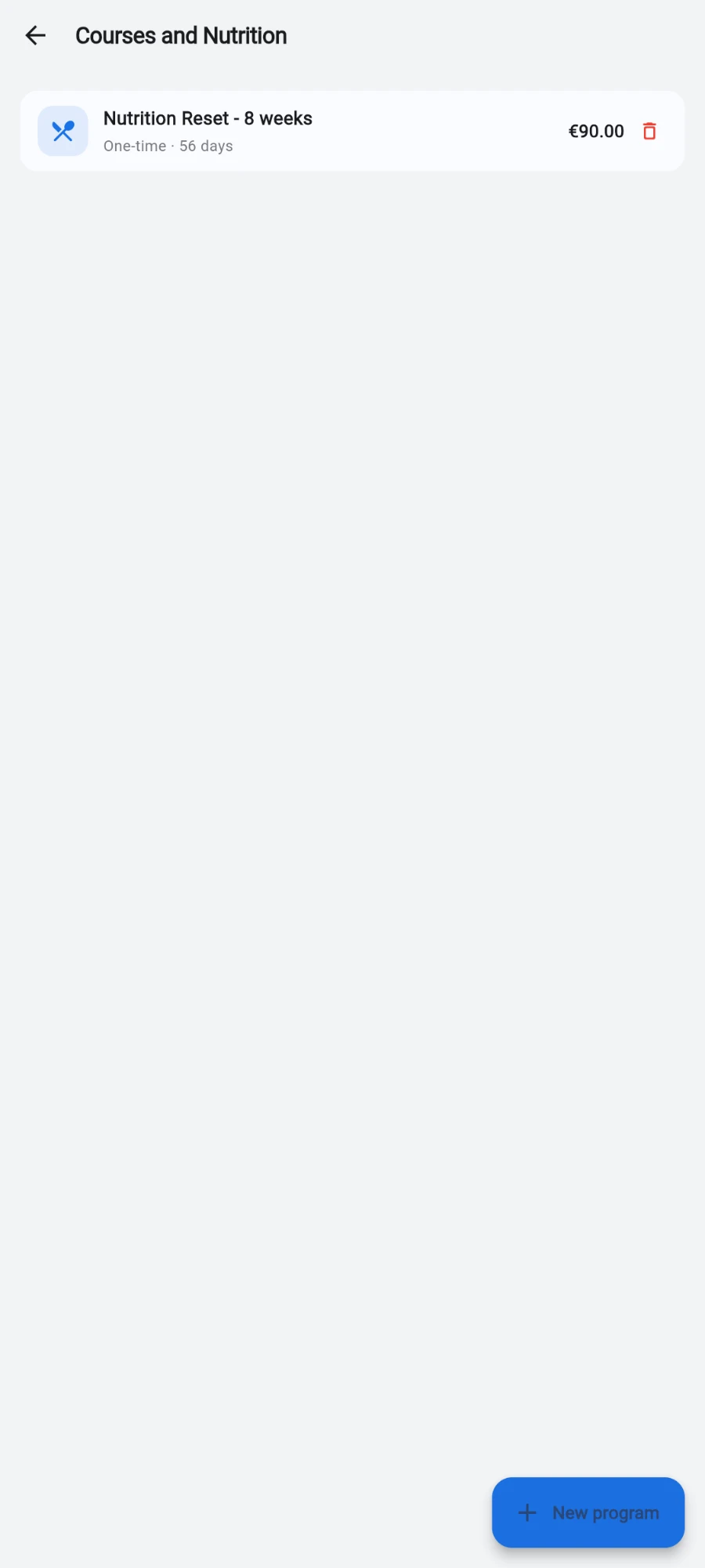
The catalog — every course and nutrition program you can sell. -
Enter the Program name and a Description (optional).
-
Pick a BILLING TYPE: One-time program, Monthly subscription or Session pack.
-
Fill the fields your billing type shows — Duration in days for a one-time program (leave blank for open-ended), or Sessions included for a session pack.
-
Set the Price. If you charge in a second currency, set Price anchored in — the price stays fixed in that currency and converts to your books currency at the live rate when sold.
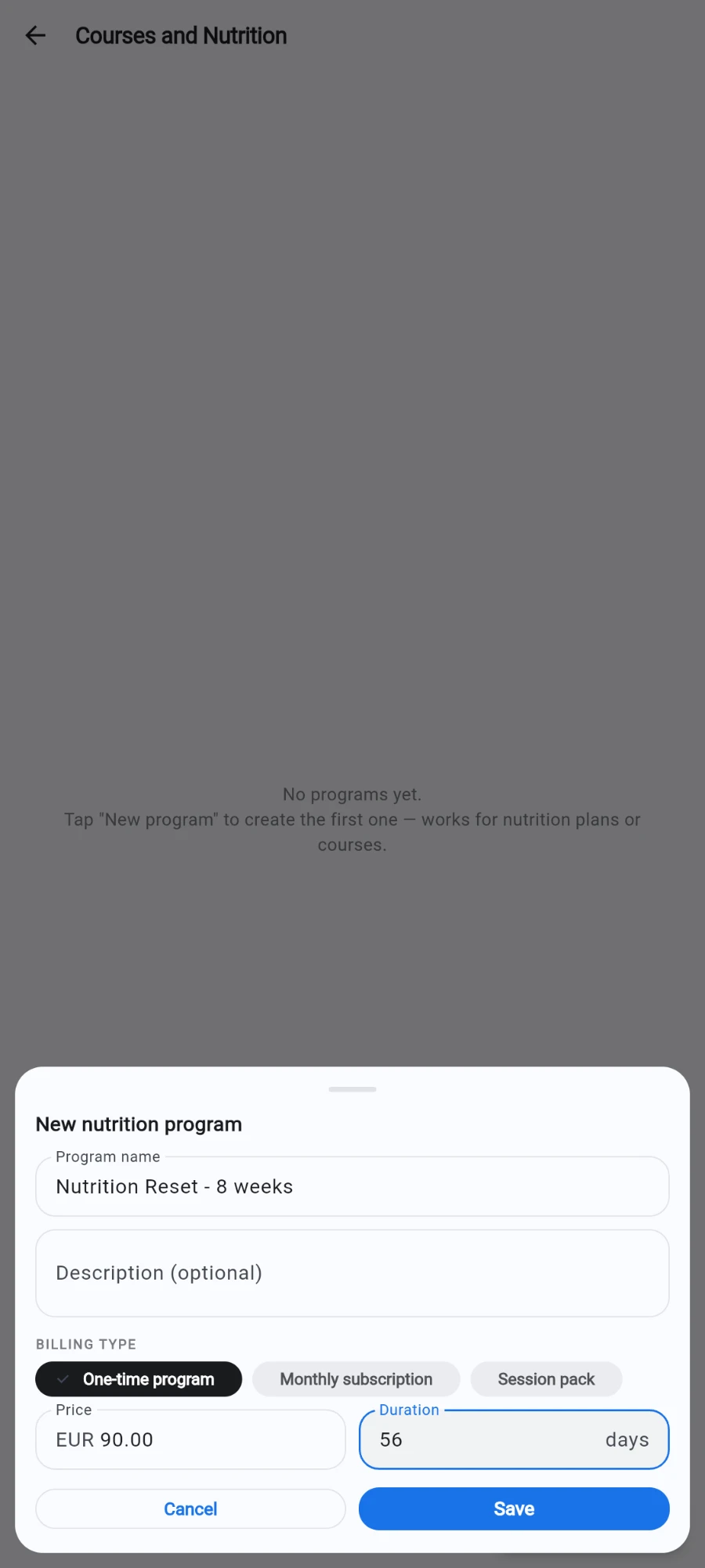
Billing type decides which fields you fill in. -
Tap Save.
-
To enroll a member: open their profile, tap Sell…, and choose Nutrition program.
-
Pick the PROGRAM, select the coach under COACH — required, since this coach earns the commission for the course — choose the PAYMENT METHOD, add a Note (optional), and tap Sell.
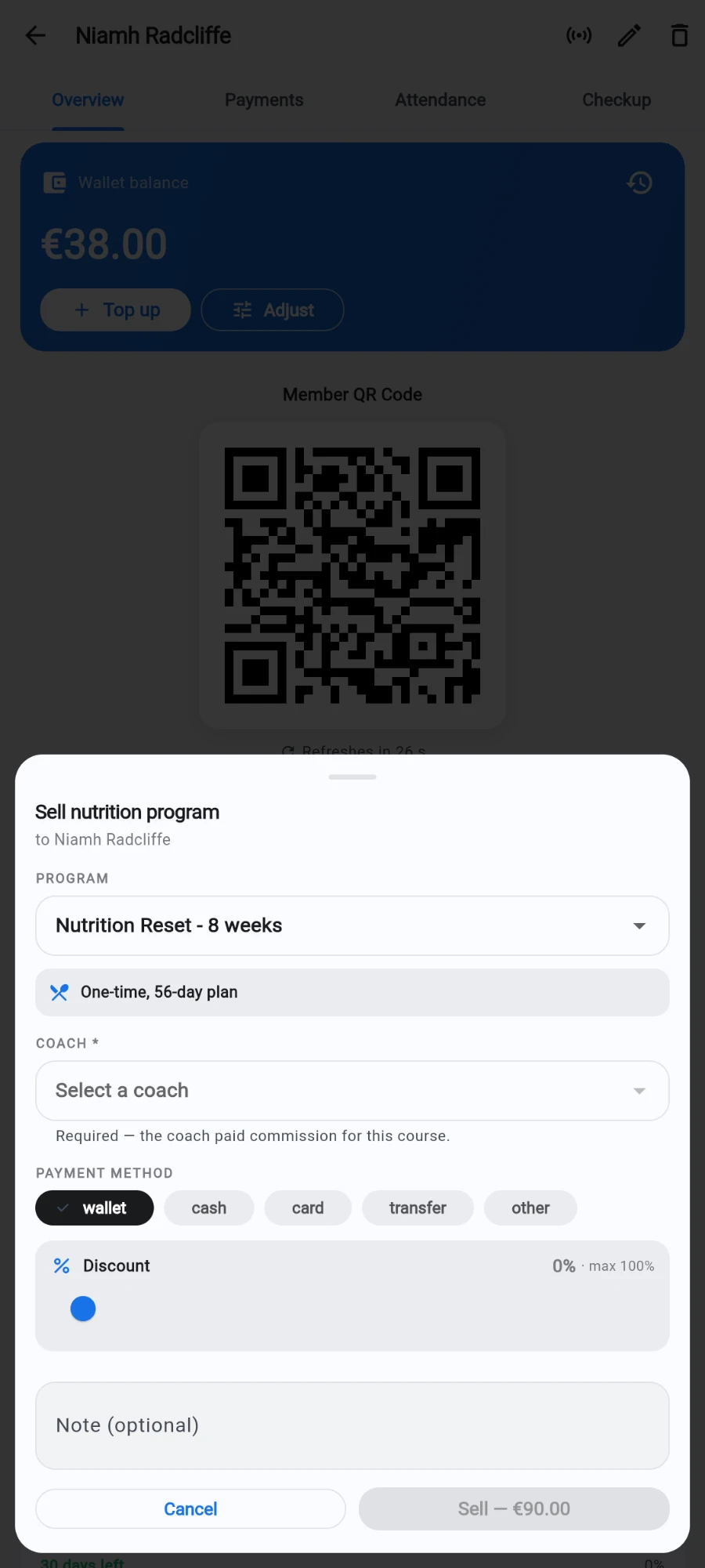
Enrolling a member — the coach is required, it earns the commission.
What you should see
A confirmation naming the amount charged (or Enrolled (no charge) for a free program). The sale appears in your revenue reports, and the coach's commission shows up in their payout view alongside PT and pack earnings.
If something goes wrong
- Sell is greyed out — the COACH field is empty; the sale needs a coach for commission attribution.
- The member is already on this program — a member can't be enrolled twice in the same active program; the sale is refused rather than double-charged.
- Wallet enrollment fails — insufficient balance. Top up the wallet or pick a different payment method.
- A program is missing from the sell sheet — it was deactivated. Reactivate it in the catalog to sell it again.
Still stuck? Email hello@prismgym.com — include your gym name, the device, and a photo of what you see.