Renew, freeze and unfreeze
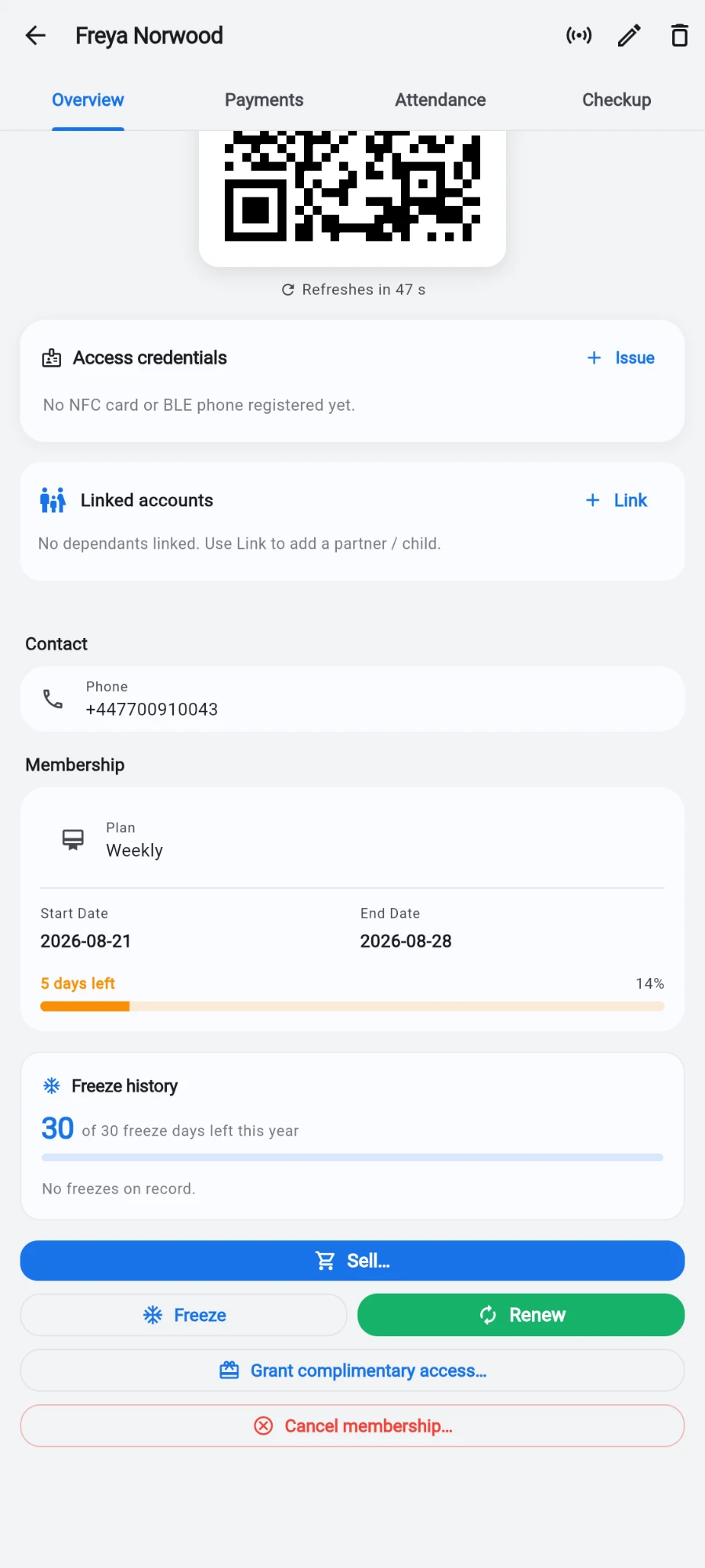
The member profile changes its action buttons to match the member's state: an expired member shows Renew, a member expiring soon shows both Renew and Freeze, and a frozen member shows Unfreeze. You never hunt for the right action — the profile offers it.
What you'll do
Renew a membership (it's the same flow as selling a plan), freeze one for a set window so the member loses no paid days, and unfreeze early when they come back sooner than planned.
You'll need: a staff account with the renew permission for renewals, and the freeze permission for freezes. Some plans switch off staff freezes entirely — the owner can always freeze.
Steps
-
Open the member's profile from the Members tab.
-
To renew: tap Renew. It opens the same Sell a plan sheet as Sell… — plan, payment, tender, discount and joining fee all work exactly as in the selling chapter.
-
To freeze: tap Freeze. The Freeze membership dialog opens.
-
Set From — it defaults to today, and you can future-date it for a planned trip.
-
Set Until — the day the freeze ends.
-
Add a Reason (optional) such as travel or injury; it appears on the member's activity log.
-
Read the live summary — it states how many days the freeze covers and where the end date will be pushed to. Freezing extends the end date by exactly the freeze length, so the member loses nothing.
-
Tap the confirm button — it's labelled with the freeze length, for example freeze for 14 days.
-
To unfreeze: open a frozen member's profile and tap Unfreeze. Unfreezing early claws back the unused freeze days, so the member gets no bonus time.
What you should see
After a renewal, the profile shows the new end date — stacked on top of the old one if the member was still active. After a freeze, the status changes to frozen, the membership progress bar pauses, and the end date moves out by the freeze length. After an unfreeze, the member is active again with any unused freeze days clawed back off the end date.
If something goes wrong
- Freeze is greyed out — either you lack the freeze permission, or this plan disables staff freezes. Tap the button to read the reason; the owner can always freeze.
- The dialog refuses the window — the freeze is longer than the plan's per-freeze cap. The dialog states the cap; shorten the window to continue.
- Member says their end date is wrong after an early return — that's the claw-back working: unused freeze days are removed so nobody banks free time. The freeze history shows the math.
- Renew does nothing — your account lacks the renew permission; ask the owner to grant it.
Still stuck? Email hello@prismgym.com — include your gym name, the device, and a photo of what you see.