Notifications, language and appearance
The app speaks 18 languages, follows your theme preference, and only pushes what you ask for — six notification categories, each with its own toggle. Gym announcements have their own feed behind the bell on Today.
What you'll do
Read announcements, tune your push notification categories, switch language, and pick a theme.
You'll need: nothing special — everything here lives in Settings, reached from the settings icon at the top of Me.
Steps
-
Tap the bell in the Today header to open Announcements — gym posts about closures, schedule changes and events. Emergency posts are styled red with an ALERT badge.
-
To tune what pushes to your phone, open Me, tap the settings icon, and under Notifications tap What pushes to your phone.
-
Toggle categories on or off — Messages from staff, Class reminders, Gym announcements, Plan renewal alerts, Payment alerts, Offers & promotions. Changes save instantly; there's no save button.
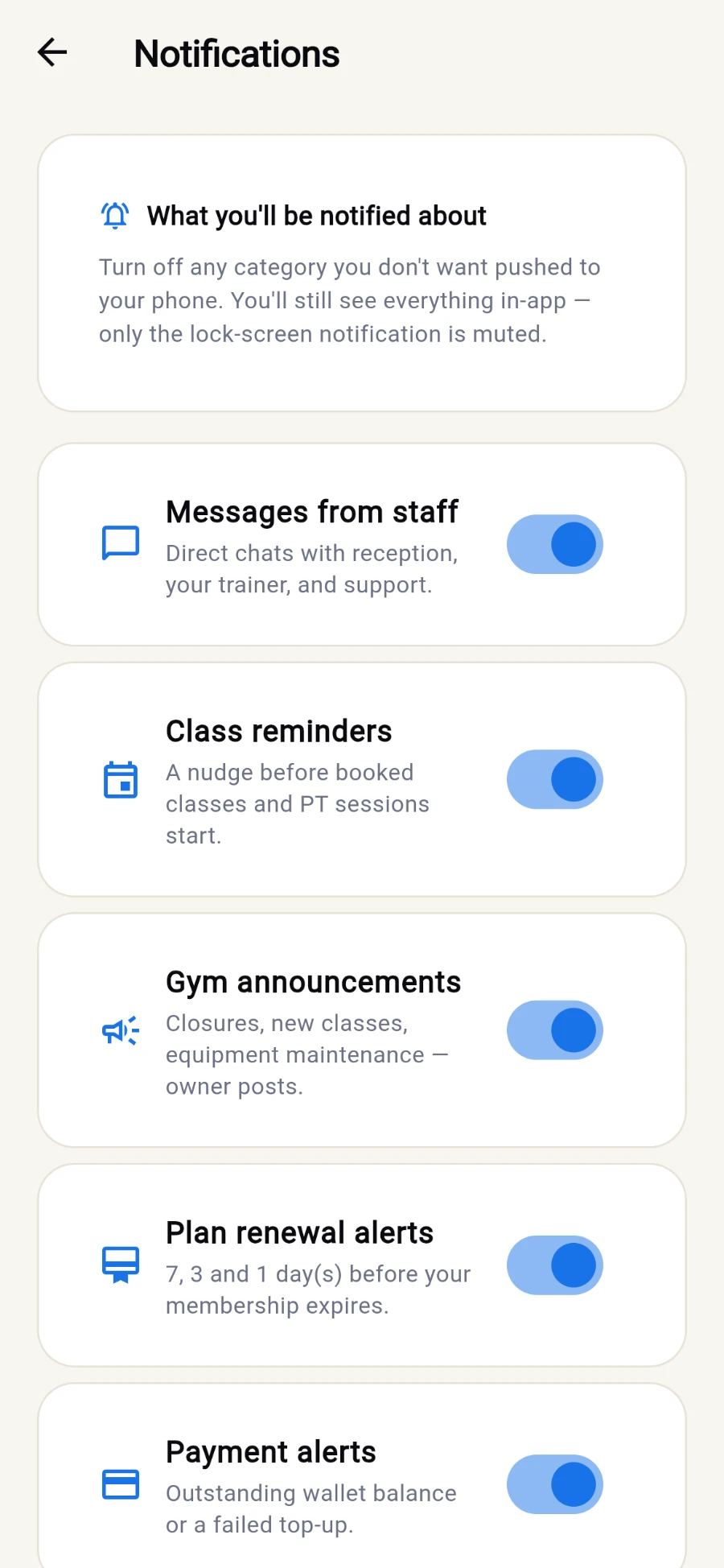
Six categories, each with its own switch - changes save instantly. -
If your phone is blocking the app entirely, a banner at the top says Notifications are off for this app and offers Turn on notifications — it deep-links into system settings when needed.
-
Back in Settings, the Language section lists all 18 languages by their native names — tap one and the app switches immediately, remembering your choice. Arabic, Kurdish, Farsi and Urdu also flip the whole layout right-to-left.
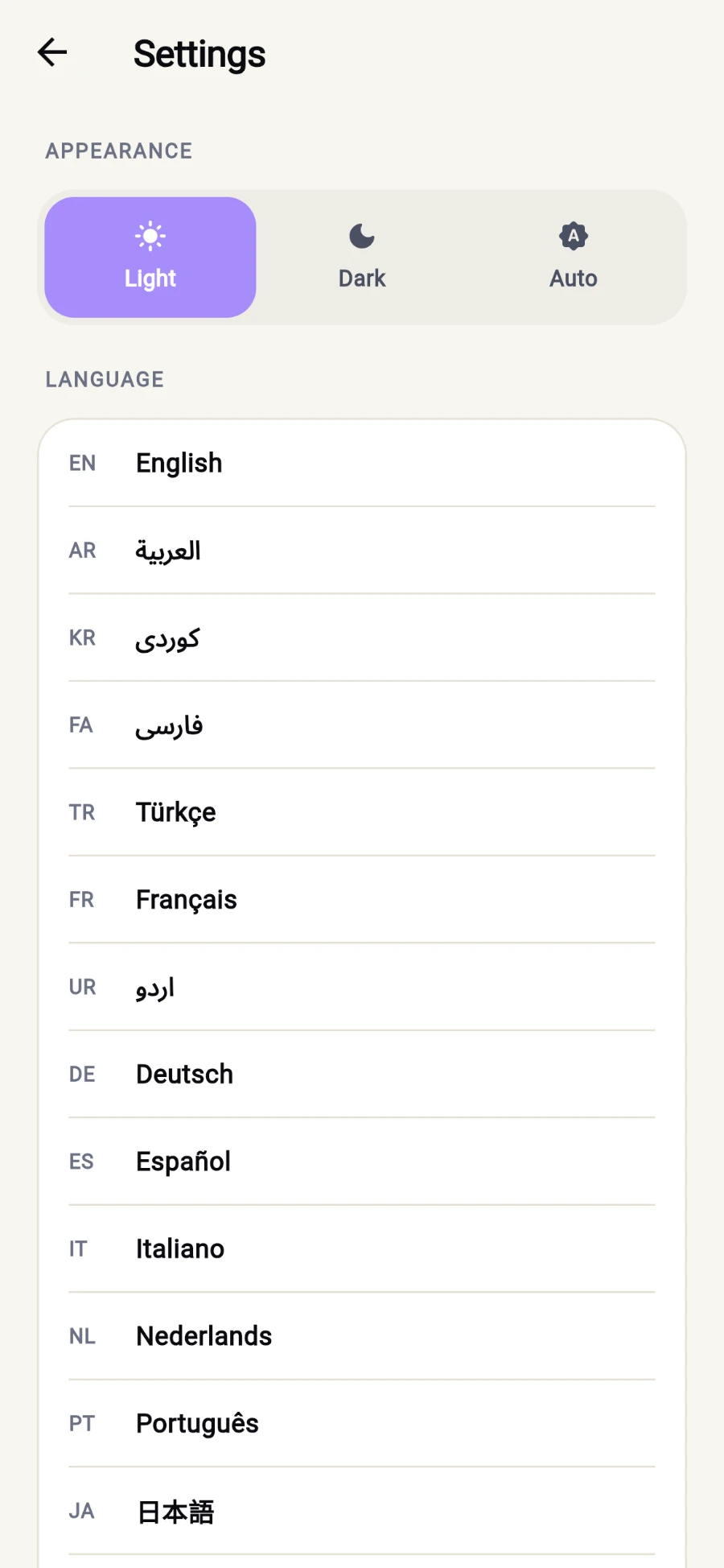
Theme on top, then every language by its own name. -
Under Appearance, pick Light, Dark or Auto — Auto follows your phone's system theme.
What you should see
Only the pushes you opted into, announcements waiting behind the bell, and the whole app — tabs, buttons, dialogs — in your language and theme of choice.
If something goes wrong
- No notifications at all, toggles look right — the phone-level block is the usual culprit; use Turn on notifications on the banner, or allow the app in system settings.
- Class reminders arrive but messages don't — each category is independent; check the Messages from staff toggle specifically.
- The language reverted — your choice persists per device; signing in on a new phone starts from the default until you pick again.
Still stuck? Email hello@prismgym.com — include your gym name, the device, and a photo of what you see.