Message your members
When memberships start running out, Prism gathers the members who need a nudge into one place and lets you message them over WhatsApp or SMS — with a template that fills in each member's name automatically.
What you'll do
Open the memberships-needing-attention list, pick a cohort (expiring soon or already expired), tune the message template, and send.
You'll need: a staff account, and WhatsApp or a messaging app installed on the device you're sending from.
Steps
-
Open the activity feed from the bell icon in the top bar. When memberships need attention, a card at the top reads Memberships need attention with the expiring and expired counts — tap it.
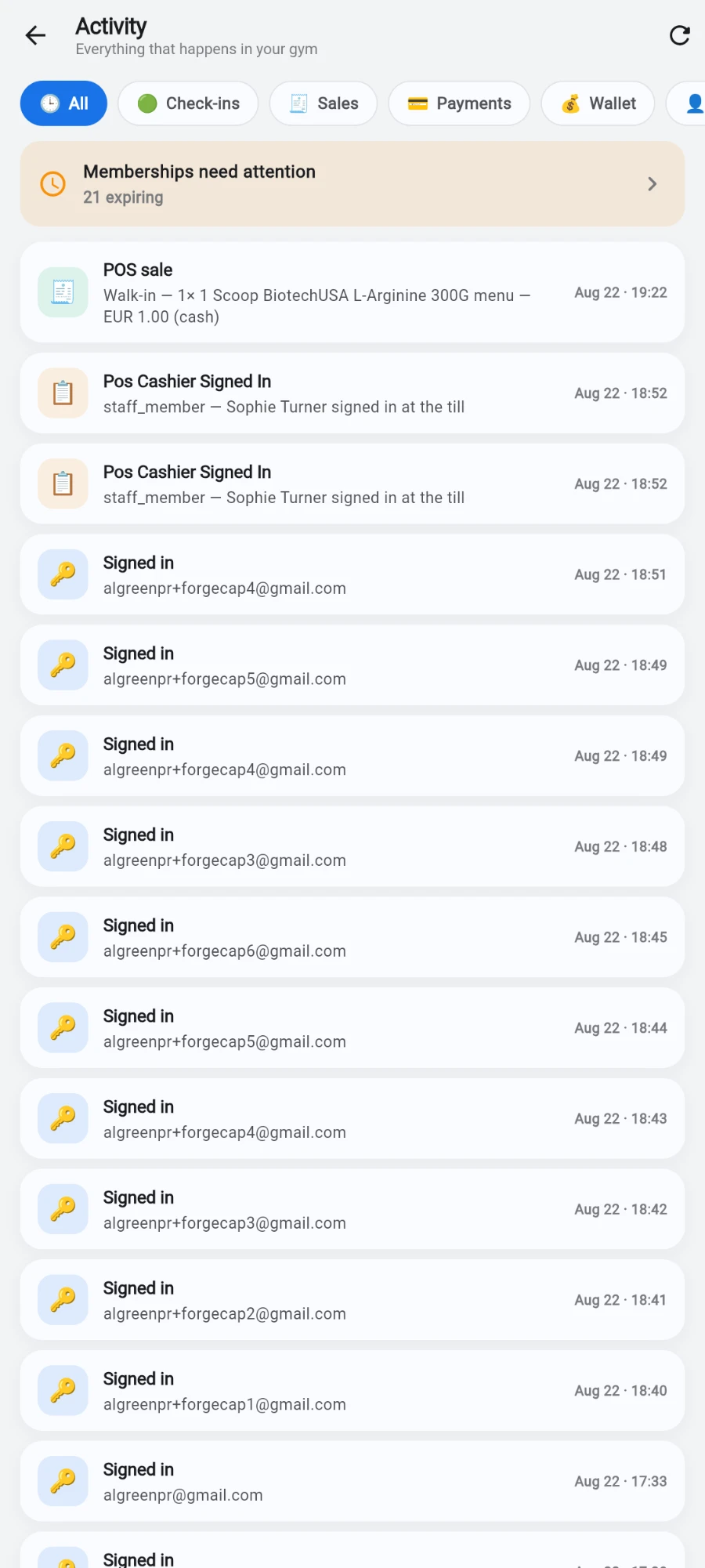
The attention card only appears when someone actually needs chasing. -
On the Notifications screen, review the two sections — Expiring Soon members with their days remaining, and Expired Members.
-
Tap Notify Members on the section you want to contact.
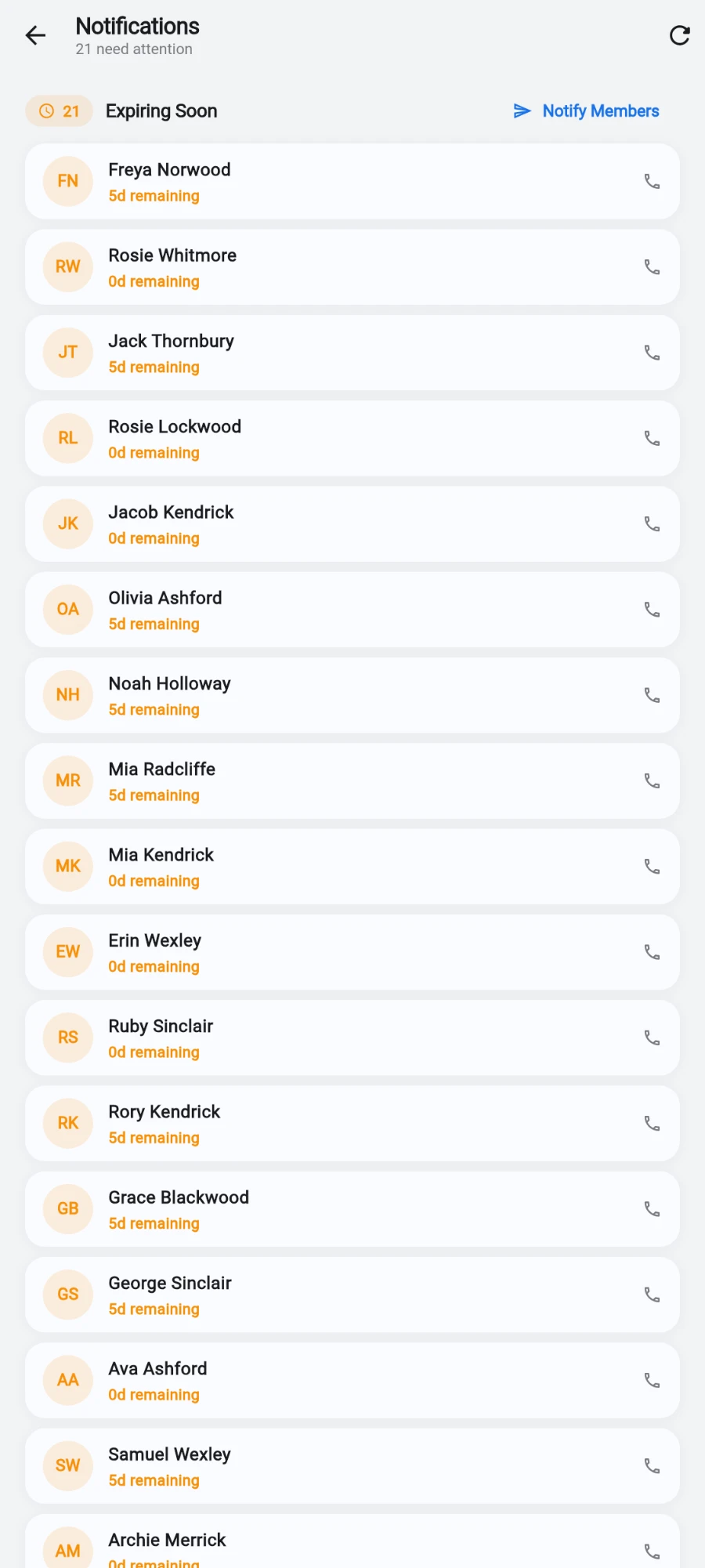
Expiring Soon, with days remaining on every row. -
Edit the Message Template at the top. Keep the name placeholder shown in the field hint in your text — the app swaps in each member's actual name when sending.
-
Untick anyone you don't want to contact, or use Select All to toggle the whole cohort. The counter shows how many are selected.
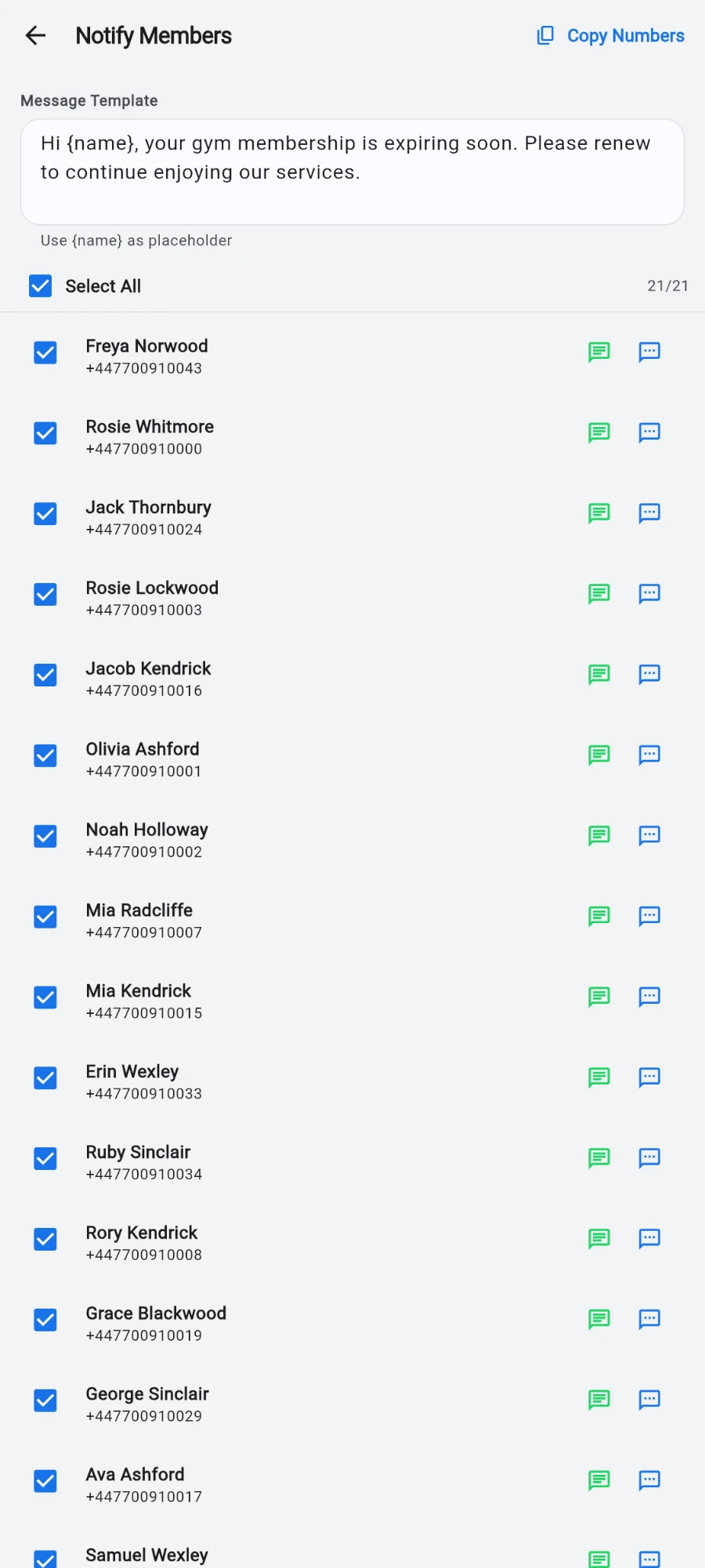
One template, personalised per member, sent one tap at a time. -
Tap the green chat icon next to a member to open WhatsApp with their number and your personalised message pre-filled, or the SMS icon to do the same in your messaging app. Hit send there, come back, and move to the next member.
-
Optionally tap Copy Numbers in the top bar to copy every selected phone number to the clipboard — useful for pasting into a broadcast list or another tool.
What you should see
Each tap opens the messaging app with the right person and the right personalised text ready to send. Back in Prism, your selection and template stay as you left them while you work down the list.
If something goes wrong
- "Could not open WhatsApp" — WhatsApp isn't installed on this device, or the number isn't reachable on WhatsApp; use the SMS button instead.
- The message arrives with the placeholder un-replaced — the placeholder in your template was typed differently from the field hint; match it exactly.
- A member is missing from the list — the sections only include members whose plans are expiring within 7 days or already expired; everyone else lives on the Members tab.
- The attention card doesn't appear on the activity feed — nothing currently needs attention (no expiring or expired members), so the card hides itself.
Still stuck? Email hello@prismgym.com — include your gym name, the device, and a photo of what you see.