Your Checkup report
The Prism Checkup is a camera-guided assessment you take at the gym-floor kiosk — mobility, balance, strength, cardio and reaction tests, no wearables needed. Your results land in the app as a six-domain wellness wheel with a single headline score, and every test can be explored down to what it measures and why it matters.
What you'll do
Open your Checkup report, read the wheel, drill into a single test, and track how a result changes across visits.
You'll need: at least one Checkup taken at your gym's kiosk. Ask staff where the Checkup station is.
Steps
-
Open Progress. The Checkup wheel card shows six domains — Body, Cardio, Mobility, Strength, Mind and Balance — around your headline WELLNESS score. Tap it — Tap to see your full report.
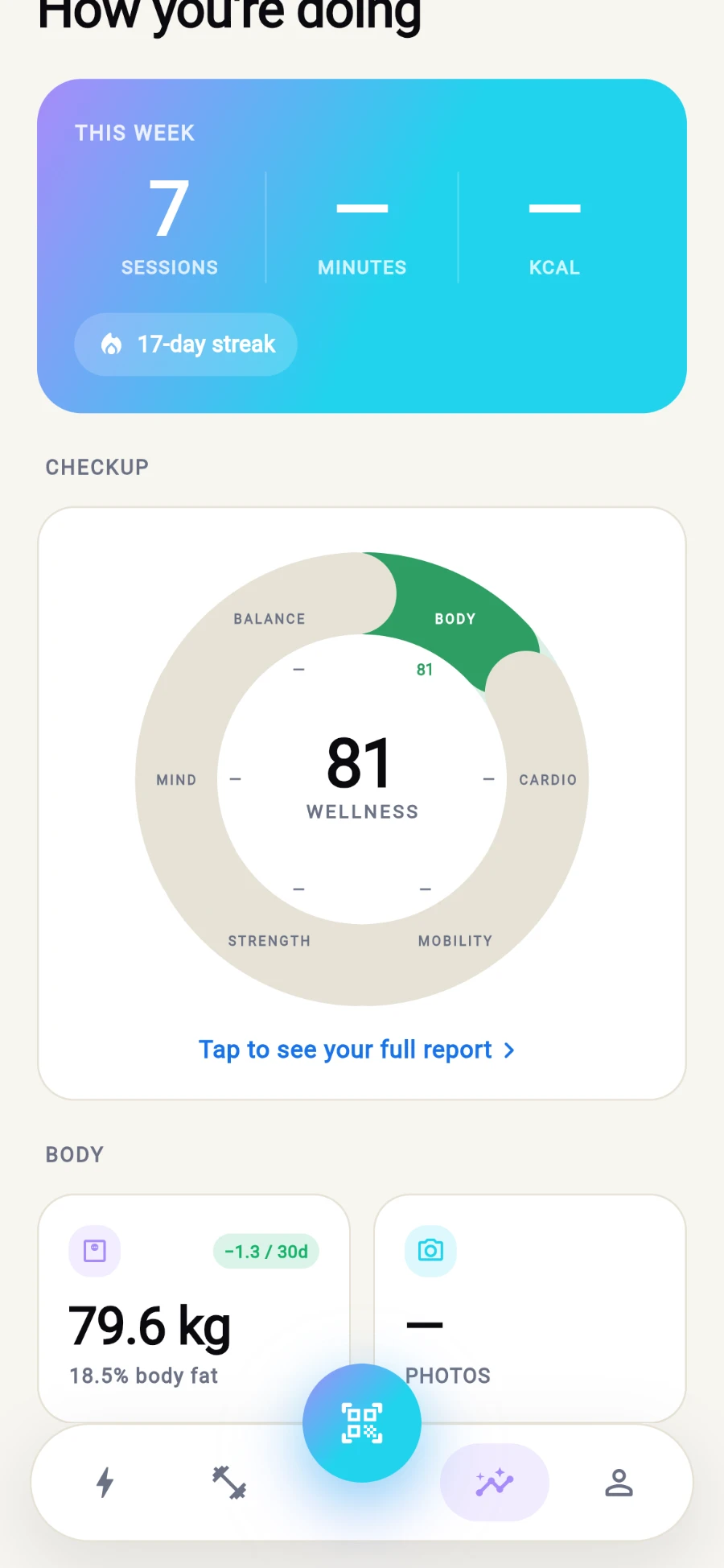
Six domains around one headline score. -
Your Checkup opens with a section per domain. Every test you've taken lists its value with a colour-coded rating pill from Poor up to Excellent.
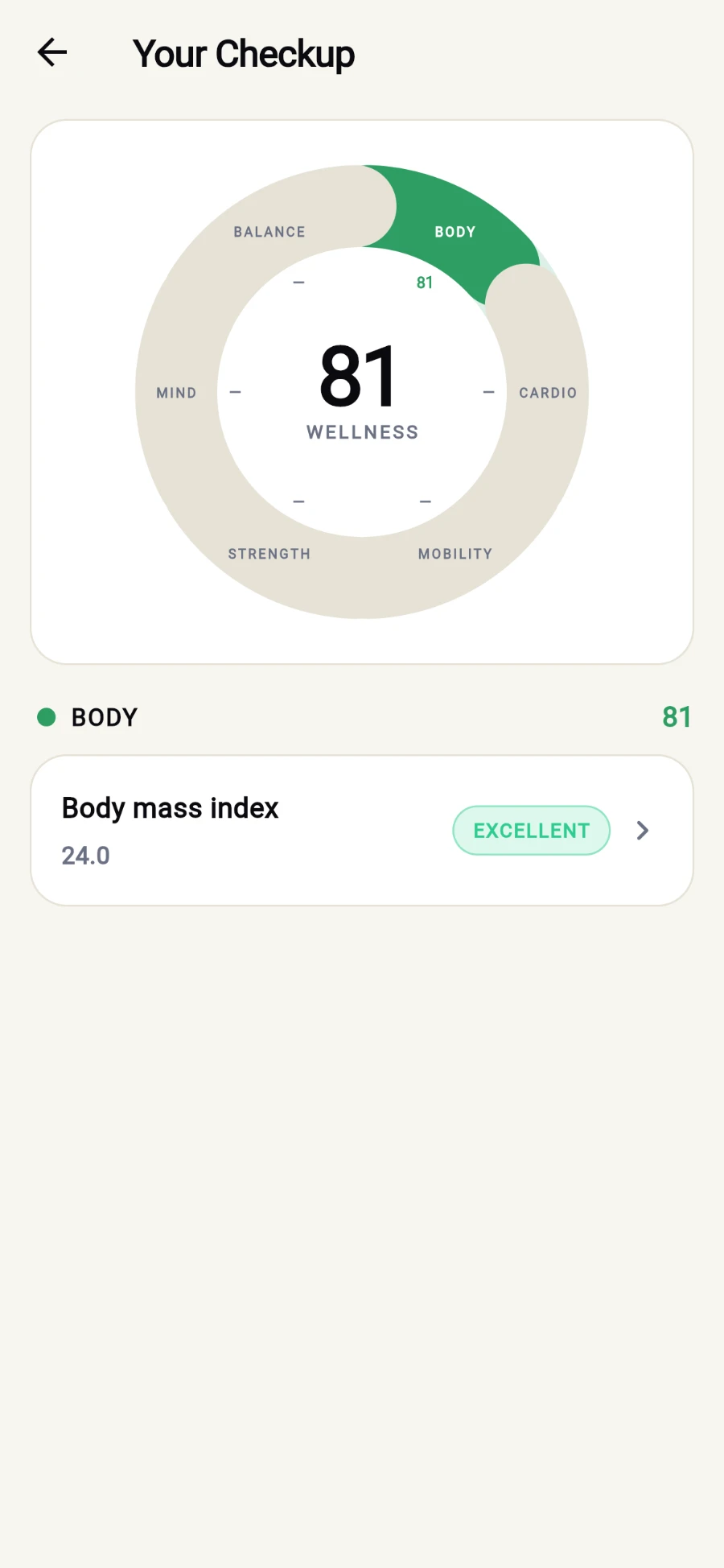
A section per domain, a rating pill per test. -
Tap any test for its detail: the result in its natural unit (degrees, seconds, reps, kilograms), a left/right split where relevant, and a gradient rating band with your position marked.
-
Read the three explainers on the detail screen — What your result means, What this measures and Why it matters — written in plain language for each test.
-
Scroll to YOUR HISTORY for the trend chart and your last dated readings — retake the Checkup at the kiosk every few weeks and watch the bars move.
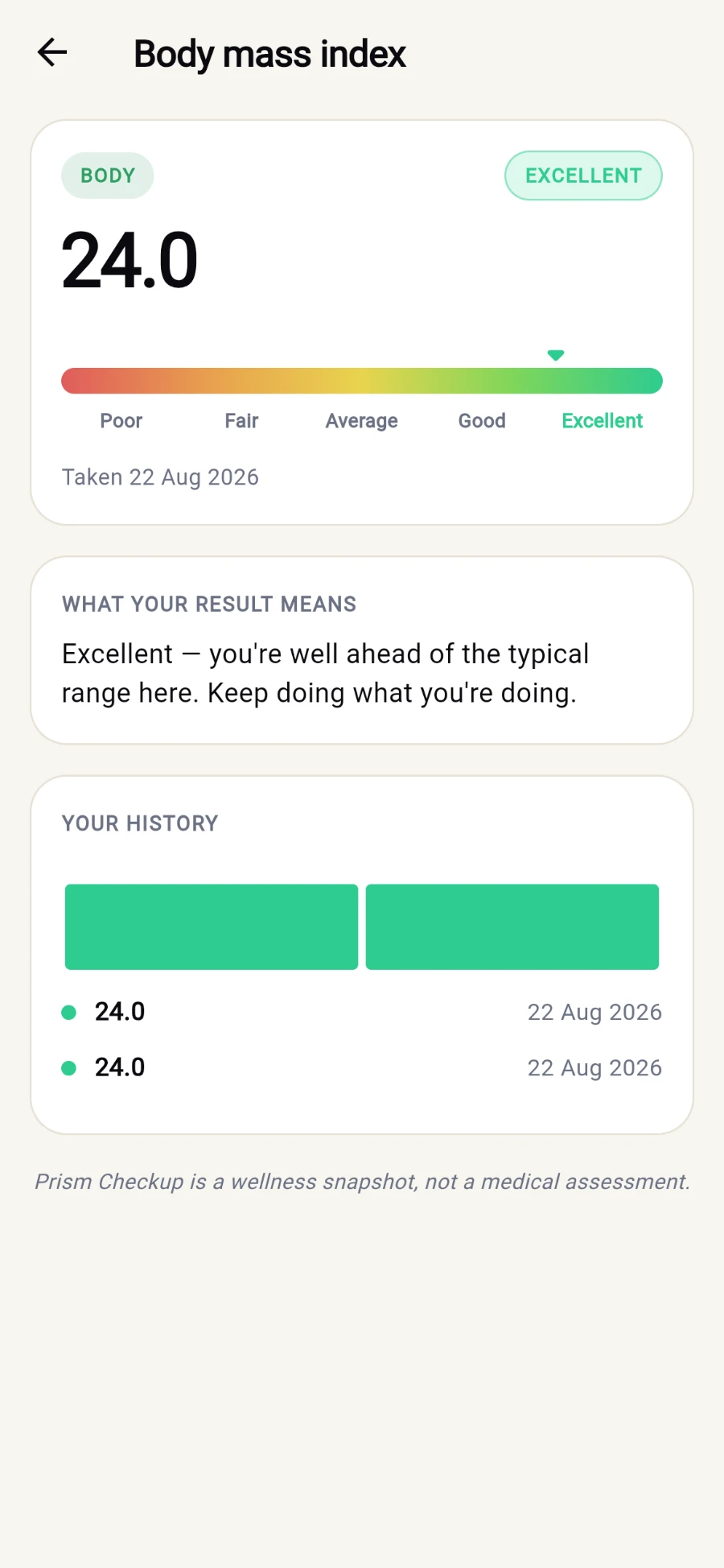
Where you sit on the band, what it means, and how it has moved.
What you should see
A filled wheel, a score per domain, and per-test history that trends upward as you train the weak spots.
If something goes wrong
- "No checkup yet" — your report stays empty until you take the tests at the gym-floor kiosk; the empty screen tells you exactly that.
- A domain shows no score — you haven't taken that domain's tests yet; the kiosk offers them one by one.
- A result looks wrong — retake the test at the kiosk; the newest reading joins your history so an off day doesn't erase the trend.
Still stuck? Email hello@prismgym.com — include your gym name, the device, and a photo of what you see.