Challenges, points and rewards
Points reward the habit: checking in, attending classes, finishing challenges and referring friends all add up. Spend them in the rewards catalog, and see where you stand on the gym leaderboard.
What you'll do
Join a challenge, learn how points are earned, redeem a reward, and read the leaderboard.
You'll need: an active membership. Your points balance is always on Today's Points pill.
Steps
-
Tap the Points pill on Today. The explainer sheet shows YOUR BALANCE and How to earn: Check in at the gym, Attend a booked class, Complete a challenge, Refer a friend — each with its points value.
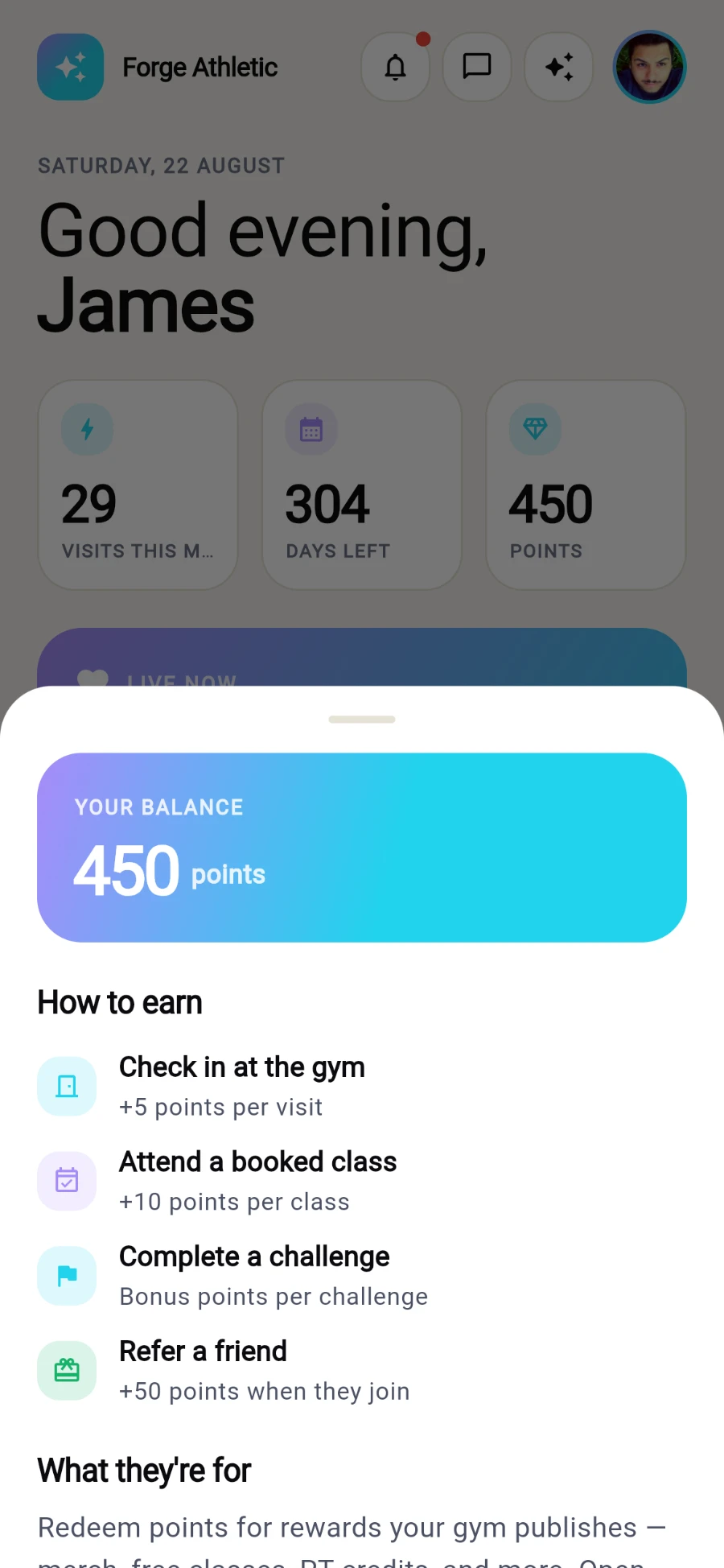
Your balance and exactly what earns points. -
Open Progress and tap Challenges. Each active challenge shows its description, days remaining and reward points — tap Join on one that suits you.
-
Joined challenges grow a progress bar with your percent complete. Your active challenge is also pinned to Today and Progress so it stays in sight.
-
To spend points, open Me and tap Points. The Rewards screen shows YOUR POINTS and the CATALOG — rewards you can afford offer Redeem; the rest show Locked with their price.
-
Tap Redeem, confirm on the Redeem reward? dialog, and show the confirmation at reception to collect.
-
For bragging rights, open Leaderboard from Progress — the gym's most active members ranked by points, medals on the top three, your own row highlighted.
What you should see
Your balance ticking up with every visit, a challenge bar creeping toward complete, and your name climbing the board.
If something goes wrong
- "No challenges running" — your gym publishes challenges from its side; none are live right now.
- A reward stays Locked — you're short of its points price; the catalog shows exactly how far.
- "No leaderboard data yet" — the board builds from members' points; it fills as activity accumulates.
- Points didn't arrive after a class — points for classes are granted on attendance, not booking; make sure you checked in at the door.
Still stuck? Email hello@prismgym.com — include your gym name, the device, and a photo of what you see.