Deleted members and restore
Deleting a member in Prism is recoverable by design. The record leaves the live roster, the member loses app access and door access, but their payments, attendance and wallet history stay intact — and the account owner can bring the whole record back at any time.
What you'll do
Open the owner-only Deleted members screen, review who was removed and when, and restore a member.
You'll need: the account owner's sign-in. The screen is hidden from other staff, and the restore itself is owner-checked on the server — hiding the button is not the real lock.
Steps
-
Open the Members tab and tap the sweep-bin icon in the header (its tooltip reads Deleted members). Only owners see this icon.
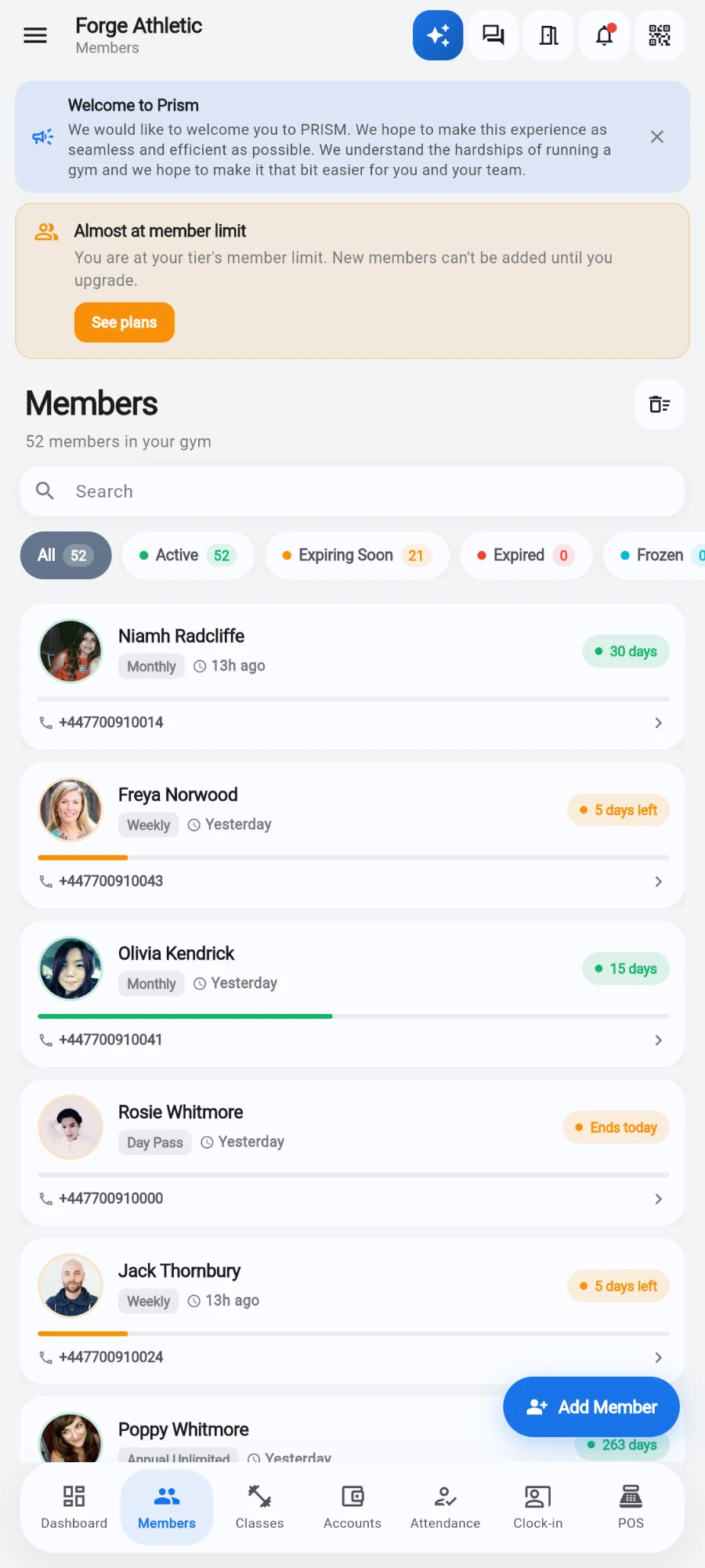
The sweep-bin icon beside the Members heading — owners only. -
Review the list — each row shows the member's photo, name, and the date they were deleted, mirroring the live list's layout.
-
Tap Restore on the member you want back.
-
Confirm in the Restore member? dialog — it reminds you their attendance history, payments and wallet balance are unchanged.
-
The row disappears from the deleted list and the member returns to the live roster.
What you should see
The restored member appears in the live Members list with their old plan state, history and wallet balance exactly as they were. If their membership dates have since passed, they'll show as expired — sell them a new plan from their profile.
If something goes wrong
- You can't find the Deleted members icon — you're not signed in as the account owner; the entry point only renders for owners.
- Restore fails with an owner-only message — the server rejected the call because the signed-in account isn't the owner, even if the button was somehow visible.
- Restore says the member belongs to a different branch — switch to the branch the member was deleted from and try again.
- A restored member can't get through the door — restoring the record doesn't re-push them to entry devices by itself; open their profile and re-enrol them on the terminal.
Still stuck? Email hello@prismgym.com — include your gym name, the device, and a photo of what you see.