Plan freeze policy
Freezing pauses a membership without losing paid days — the end date moves out by the length of the freeze. Each plan carries its own freeze policy: a yearly allowance, a cap per single pause, and a switch that decides whether non-owner staff can freeze at all.
What you'll do
Configure the three freeze controls on a plan and understand how they play out at the desk and in the member app.
You'll need: the plan-management permission and a plan open in Settings → Membership plans.
Steps
-
In the plan form, scroll to the Pause & freeze policy card.
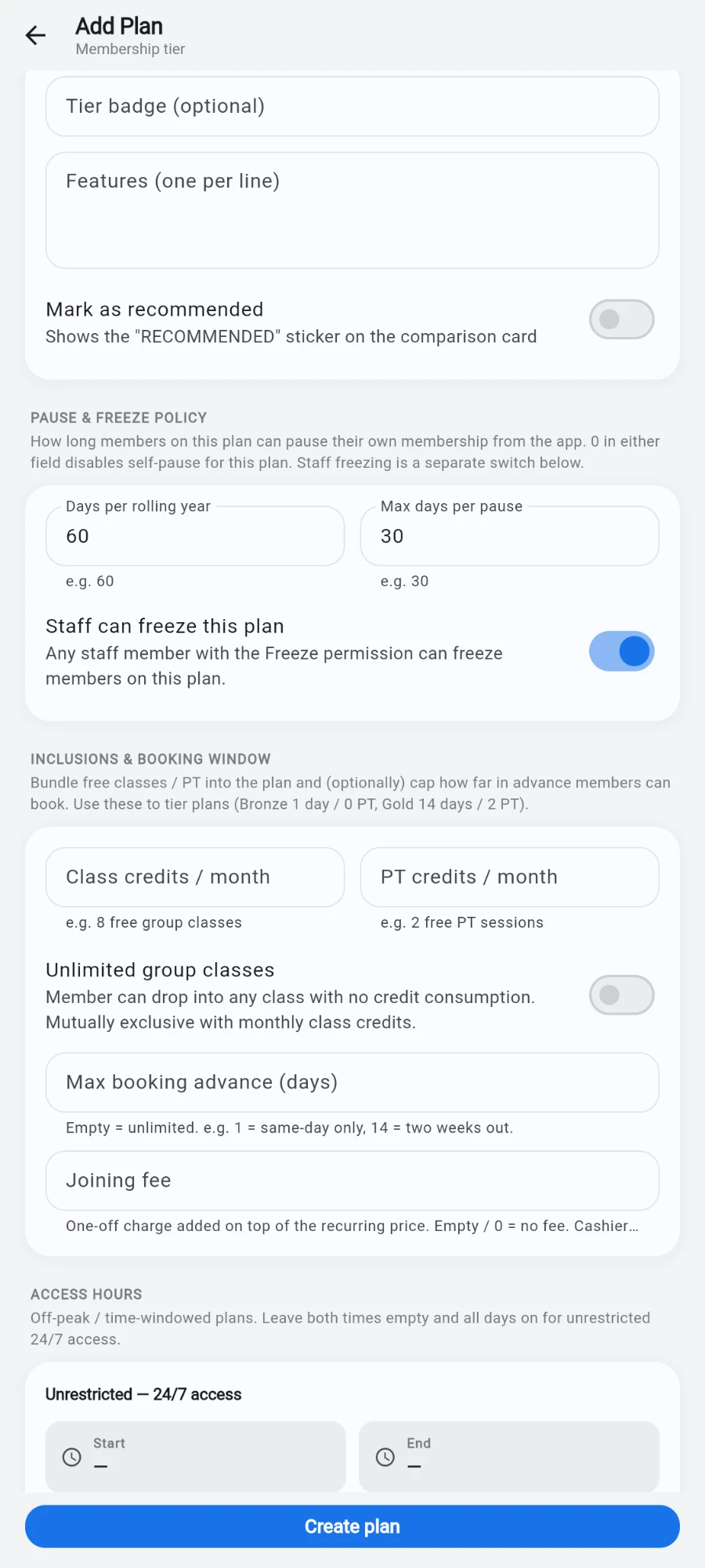
Two numbers cap self-pause; the switch below governs staff freezes. -
Set Days per rolling year — the total freeze days a member on this plan gets in any 12-month window.
-
Set Max days per pause — the longest a single freeze may run.
-
Decide the Staff can freeze this plan switch. On: any staff member holding the freeze permission can freeze members on this plan. Off: only the account owner can — other staff see the Freeze button disabled with an explanation, and unfreezing is never blocked.
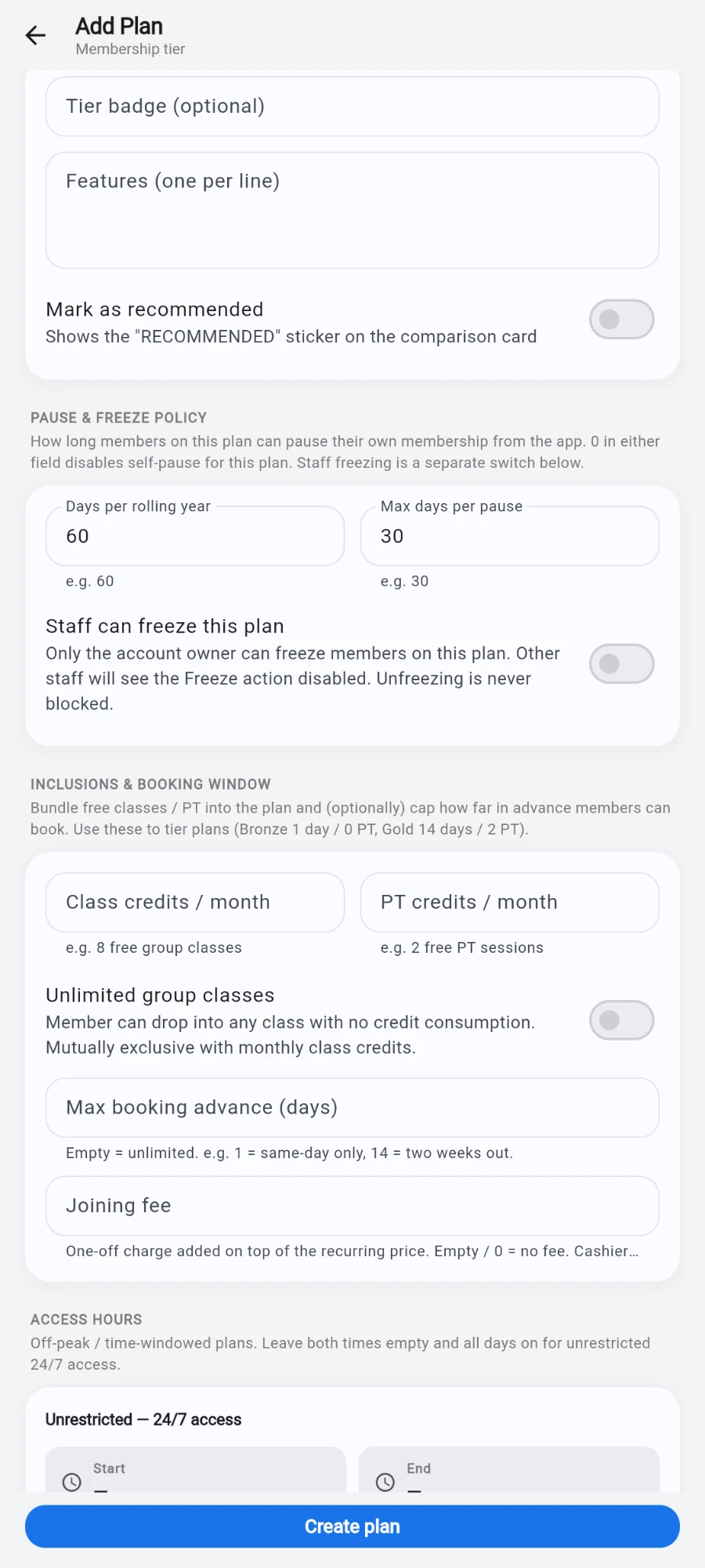
Switched off, the subtitle changes — the owner keeps the ability, staff lose it. -
Tap Save plan.
What you should see
On a member's profile, Freeze respects the plan: the dialog offers dates only within the allowance, a frozen member shows a freeze banner with the window and reason, and the membership progress bar pauses. A Freeze history card on the profile shows past freezes and days remaining this year.
If something goes wrong
- Staff report the Freeze button is greyed out — the plan's staff-freeze switch is off; that's the policy working. The owner can freeze, or turn the switch on.
- A freeze is rejected as over the allowance — the member has used their rolling-year days; the error names the limit. The server enforces this even if the app showed wider dates.
- A frozen member still gets through the door — the freeze pushes to entry devices when applied; if a terminal was offline the app warns you those doors may still open. Retry once the device is back.
- A member says their freeze "ended early" — check whether staff unfroze them early; unused freeze days are removed from the end-date extension by design.
Still stuck? Email hello@prismgym.com — include your gym name, the device, and a photo of what you see.