Heart rate in class
Wear a heart-rate strap in class and your effort shows up live — big BPM, your current zone, effort points and peak — mirroring your tile on the studio wall. Pairing takes a minute and sticks; after that the app recognises your strap automatically.
What you'll do
Pair a strap three possible ways, manage your paired devices, start live heart rate during a class, and review a finished session.
You'll need: a heart-rate strap — a gym-owned one with a QR sticker, or your own (Polar, Wahoo, Garmin and similar) — and Bluetooth on. A smartwatch works as a fallback.
Steps
-
Open Me and tap Heart-rate strap, then Pair your strap (or Add another). The Add HR strap sheet offers three paths.
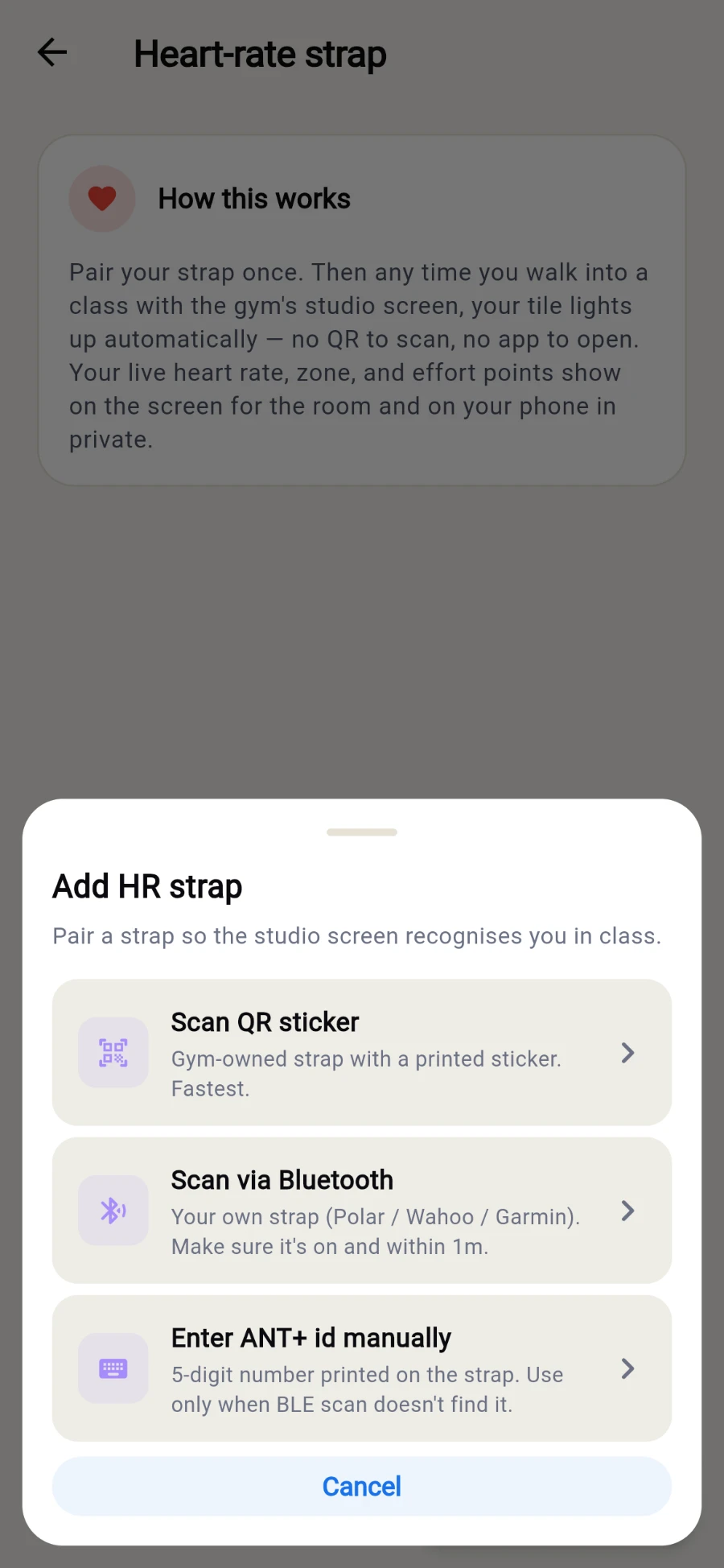
Three ways to pair, fastest first. -
Fastest: Scan QR sticker — Gym-owned strap with a printed sticker. Fastest. Point the camera at the sticker, confirm Pair this strap?, done: Strap paired!
-
Own strap? Scan via Bluetooth — wear it damp around the chest so it advertises, pick it from the scan list, name it, tap Pair.
-
Neither works? Enter ANT+ id manually — the 5-digit number printed on the strap — plus an optional name, then Pair.
-
Back on the device list you can Rename, set Primary (the strap the app reaches for first) or Unpair any device.
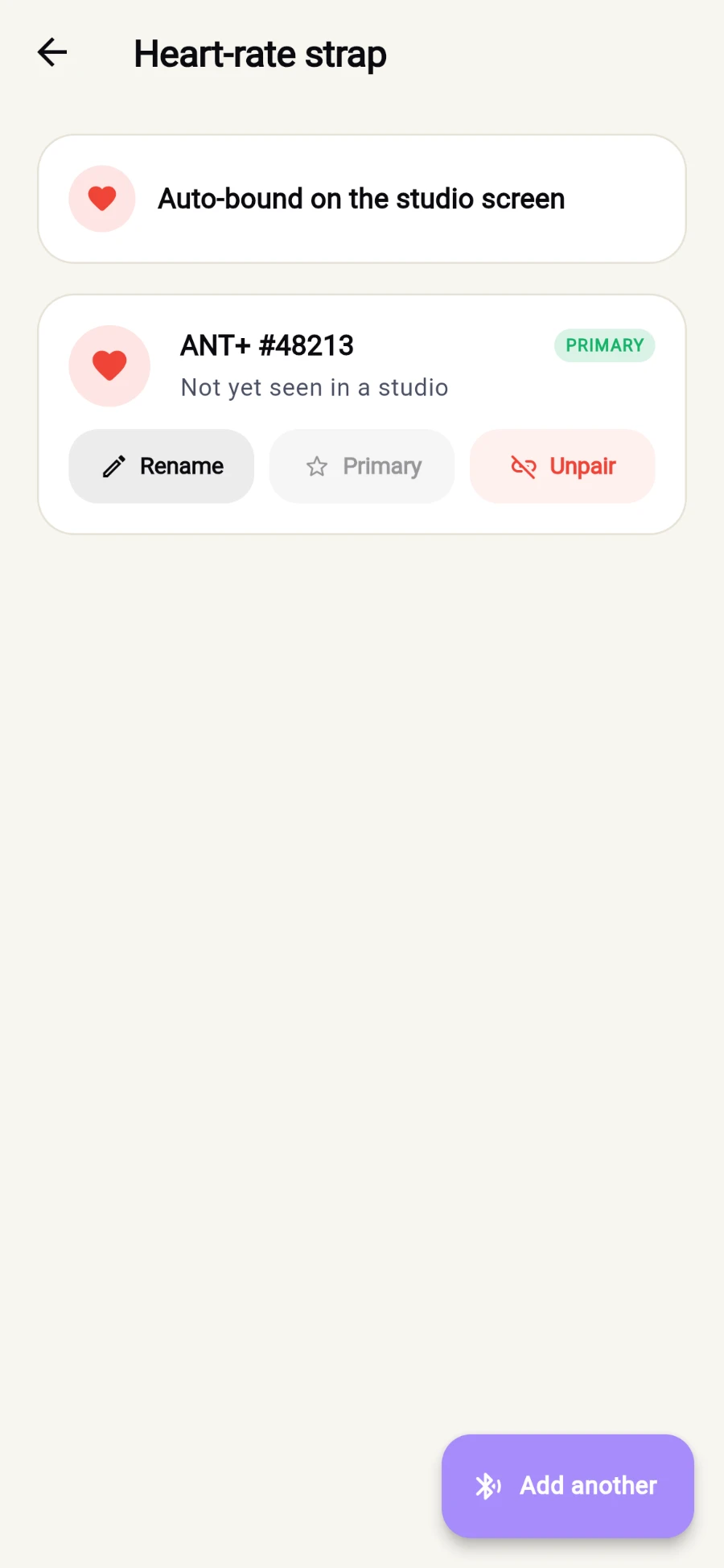
Paired straps, each with Rename, Primary and Unpair. -
When a class you're booked into is running, Today shows a LIVE NOW card. Tap Start live HR — or Use my watch instead to stream from your smartwatch's health platform.
-
Train. The live view shows your BPM, current zone — Warm-up, Burning, Aerobic, Anaerobic, Limit — effort points and peak. Tap End & save when you're done.
-
Afterwards, open Heart-rate sessions on Me for Class history, and tap a session for the full picture: average and peak BPM, calories, effort points, time-in-zone bars and the BPM chart across the class.
What you should see
Your BPM beating live on your phone (and on the studio screen if your gym runs one), and a session summary with zones and effort points after class.
If something goes wrong
- "This strap is already paired to another member." — gym straps bind to one person at a time; take a different strap or ask the front desk to release it.
- "Sticker not recognised" — that strap isn't registered at your gym yet; the front desk can add it.
- The scan finds nothing — straps only advertise while worn; damp the electrodes, wear it snug, and tap Re-scan.
- The live card never appears — it only shows while you're booked into a class that is running right now; check your booking and the time.
Still stuck? Email hello@prismgym.com — include your gym name, the device, and a photo of what you see.