Grip and heart-rate devices
Two checkup tests use Bluetooth hardware: grip strength reads an InGrip hand dynamometer, and the cardio tests read a standard Bluetooth heart-rate strap. Staff pair each device once from the kiosk's admin panel — after that, members never see a Bluetooth picker: the test simply connects to the gym's device, with manual entry as the fallback.
What you'll do
Pair both devices to a kiosk and verify a member test picks them up.
You'll need: the kiosk's staff PIN, an InGrip dynamometer with charged batteries, and a Bluetooth heart-rate strap.
Steps
-
Open the kiosk's staff panel (long-press the welcome screen), enter the PIN, and find the DEVICES section: Grip dynamometer and Heart-rate strap, each showing Not paired or the paired device's name.
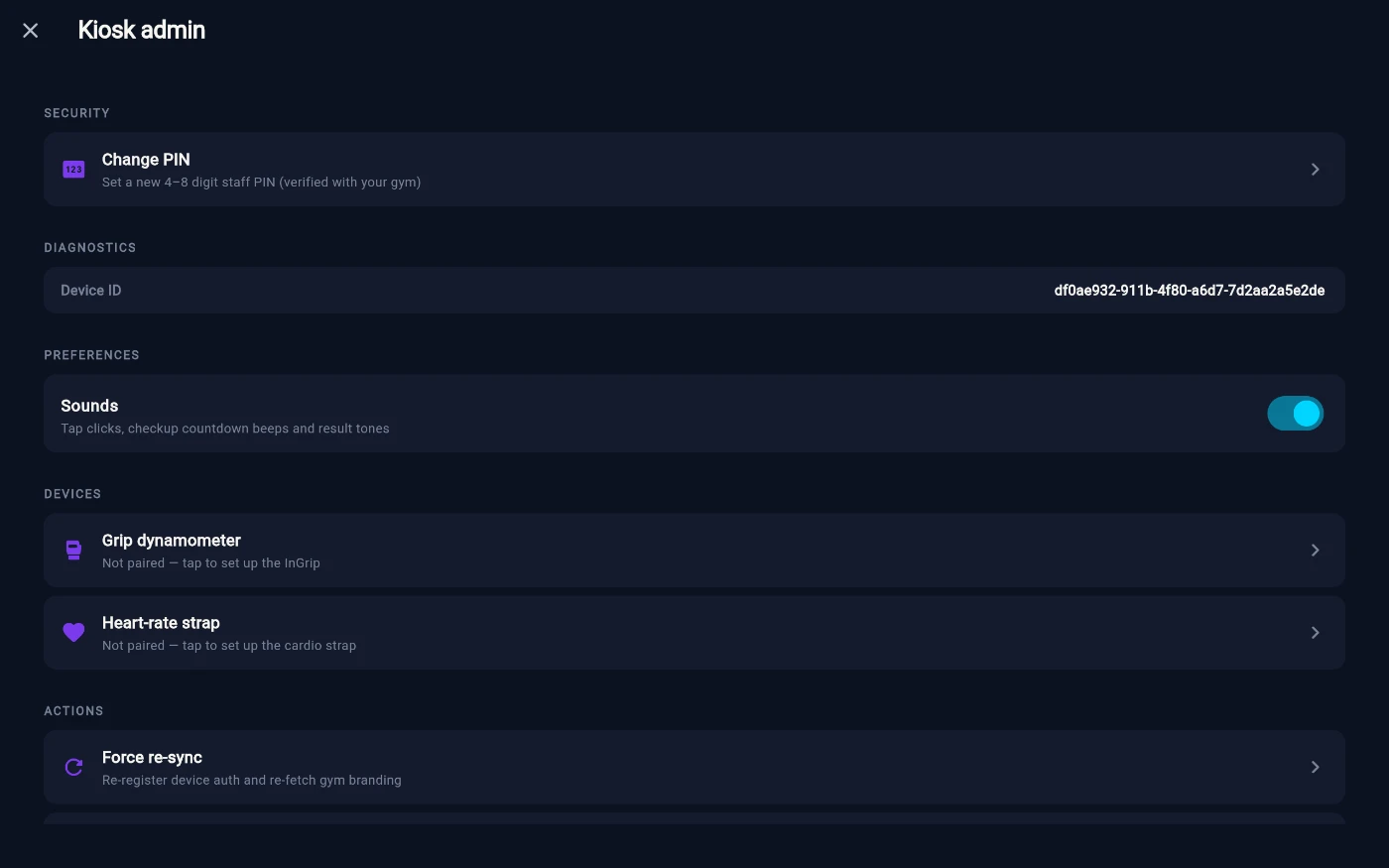
The DEVICES rows in the kiosk staff panel. -
Tap Grip dynamometer. Turn the InGrip on and squeeze it once to wake it — the kiosk scans and lists it. Tap Use this dynamometer; the screen confirms with a live reading when you squeeze.
-
Back in the panel, tap Heart-rate strap. Put the strap on (or wet its contacts) so it starts transmitting, wait for it to appear, and tap Use this strap — the screen shows a live heart rate once connected.
-
Verify as a member would: sign in, open Checkup, and start the grip test. It should show the device connecting on its own, then live readings as you squeeze — no picker, no prompts.
-
Do the same for Resting heart rate — the test connects to the paired strap and shows a live pulse.
What you should see
Both rows in the staff panel show Paired: with the device name, and member tests connect within a few seconds of starting — members never interact with Bluetooth at all.
If something goes wrong
- The kiosk keeps "Looking for the InGrip dynamometer…" — the device sleeps quickly: turn it on and squeeze once to wake it, then Re-scan. Check the batteries.
- The strap never appears in the list — a heart-rate strap only transmits while worn; put it on or wet the contacts first.
- The test says the device is unavailable — the paired device is off, out of range, or taken by another screen; use manual entry to finish the member's test, then re-check the pairing from the staff panel.
- Readings are erratic — for the strap, dry contacts are the usual cause; for the InGrip, fresh batteries.
Still stuck? Email hello@prismgym.com — include your gym name, the device, and a photo of what you see.